Systeme.io Email Marketing: Campaigns, Automation and Fit
Systeme.io combines email broadcasts and automated sequences with funnels, contacts and other platform tools, reducing the need for a separate email system in straightforward workflows.
Systeme.io email marketing: the practical view
Systeme.io email marketing supports broadcasts, automated sequences, tagging and segmentation inside the same account as funnels and websites. Its official email marketing page describes unlimited emails per month and integrated follow-up across platform tools.
The main appeal is operational simplicity: contacts collected through a funnel can move into follow-up without requiring a separate email provider for a basic setup.
Start by deciding what role email plays in the customer journey. A newsletter, launch sequence, onboarding campaign and purchase follow-up have different timing and content needs. Building around those jobs keeps the account easier to manage as the list grows.
Newsletters, campaigns and automated email
The official email editor documentation (opens in a new tab) covers newsletters, campaign emails and messages used by automation rules. The visual editor is available for newsletters and campaigns, alongside message configuration such as subject, sender and preview text.
Broadcasts are best suited to one-time messages to an eligible audience, while campaigns handle ordered sequences. Automation rules can connect behavior to those messages. Keep naming conventions clear so a future editor can understand what each campaign and tag does.
A simple email workflow
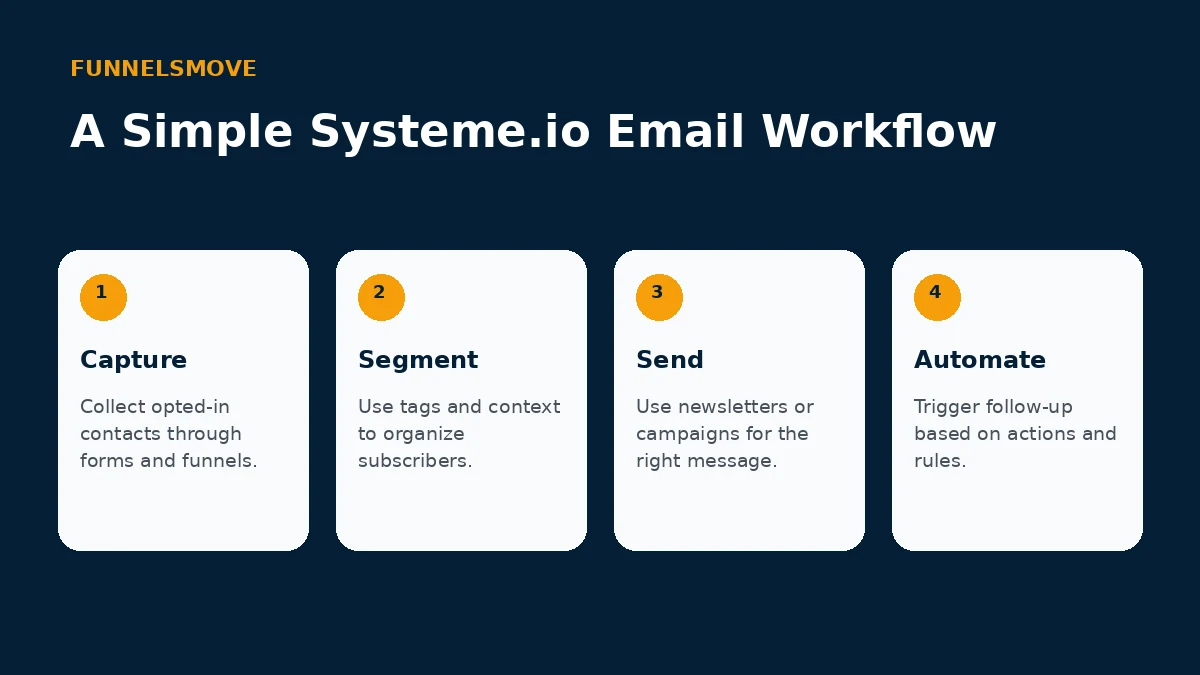
Start with permission-based capture, apply useful tags or context, send the appropriate newsletter or campaign, then automate follow-up where the trigger is clear. Keep automation understandable enough that you can troubleshoot why a contact received—or did not receive—a message.
For cross-tool connections, see Systeme.io integrations.
Segmentation is most useful when it changes what you send. Tags can represent interests, purchases or lifecycle states, but collecting dozens of tags without a messaging plan creates complexity. Define the action each important tag enables before adding it.
How email connects to automation
Because email sits beside funnels, checkout and courses, a workflow can respond to actions such as an opt-in or purchase. Map the customer journey before creating rules so tags and campaigns have a defined purpose.
Automation should have an obvious entry condition and an obvious purpose. For example, an opt-in can start a welcome campaign, while a purchase can stop promotional messages for that product and begin onboarding. Document these transitions before building complicated branches.
Design and mobile readability
The visual editor supports drag-and-drop content and desktop/mobile preview. Keep layouts simple, make the main call to action obvious and test real messages across common inboxes rather than assuming an editor preview guarantees identical rendering everywhere.
Email design should support the message rather than compete with it. Use readable text, concise calls to action and a mobile-friendly layout. Send test messages to real inboxes and confirm links, personalization and unsubscribe behavior before scheduling a large send.
Deliverability still needs operational discipline
Software alone cannot guarantee inbox placement. Use legitimate opt-in, accurate sender information, sensible sending patterns and list hygiene. Avoid treating purchased or poorly sourced lists as a shortcut.
Deliverability depends on more than the sending interface. Permission, sender reputation, authentication, complaint rates and engagement all matter. If email is business-critical, monitor results over time and investigate sudden changes rather than assuming every issue is caused by the platform.
When a specialist email platform may fit better
Systeme.io can suit integrated creator and small-business workflows, but organizations with unusually complex segmentation, enterprise governance, advanced reporting or specialized deliverability operations should compare those requirements directly with dedicated email platforms.
An all-in-one tool reduces handoffs, but specialist platforms can provide deeper capabilities for teams with advanced data models, complex lifecycle orchestration or dedicated email operations. List the capabilities you actually use before deciding whether consolidation is an advantage.
Who is Systeme.io email marketing for?
It is most compelling when funnels, email and digital-product delivery belong in one operating system. If email is the center of a sophisticated data stack, evaluate depth rather than choosing solely for consolidation.
For a creator or small online business, the strongest case is a connected workflow: capture a lead, tag the contact, send a campaign and deliver an offer without synchronizing multiple databases. That simplicity can be more valuable than having every advanced feature.
Explore Systeme.io
See the current platform details and decide whether the workflow fits your business.
Explore Systeme.io (opens in a new tab)Frequently asked questions
Can Systeme.io send both newsletters and sequences?
Yes. Official documentation covers newsletters and campaign emails, while automation rules can connect contact actions to follow-up. Use each format according to whether the message is one-time or part of an ordered sequence.
Do I still need a separate email provider?
Not necessarily for a straightforward creator or small-business workflow. Whether you need a specialist platform depends on segmentation, reporting, governance, deliverability operations and other requirements.
Does unlimited sending guarantee deliverability?
No. Sending allowance and inbox placement are different issues. Permission, authentication, sender reputation, complaints and engagement still influence deliverability.