Systeme.io Templates: Funnels, Pages and How to Choose
Systeme.io offers ready-made templates for funnels and websites so you can start with an existing structure instead of designing every page from scratch.
Systeme.io templates: the practical answer
Systeme.io templates are starting layouts for funnel steps and website pages. The official template library says it includes hundreds of ready-made funnel and website templates across 35 categories, with layouts for opt-ins, sales pages, checkout paths and multi-step funnels.
A template can reduce setup time, but it does not replace offer strategy or copy. Treat it as a structure to adapt rather than a finished conversion system.
Before choosing a design, write down the page’s single most important outcome. A lead-capture page, product sales page and webinar registration page need different information hierarchies. Starting with the outcome makes it easier to reject attractive templates that would require extensive restructuring.
What kinds of templates are available?
The official template library (opens in a new tab) groups designs across business and campaign categories. Funnel templates can cover individual pages or complete sequences, while website templates provide a broader site starting point.
Choose by visitor goal first—subscribe, buy, book, register or learn—rather than choosing only by appearance.
Template categories are useful for discovery, but category labels should not dictate your final page architecture. Review the actual sections and sequence. If the template includes testimonials, pricing blocks or FAQs you cannot support, remove them rather than filling them with weak or invented material.
How to choose the right Systeme.io template
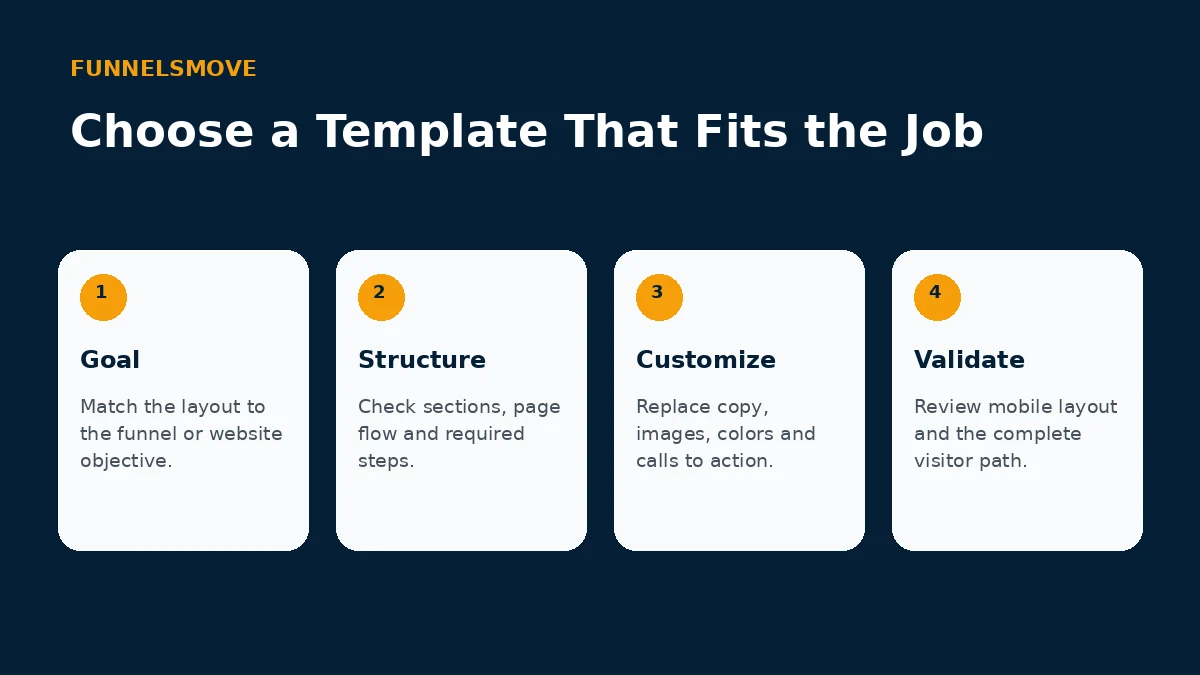
Start with the closest workflow, then inspect the page sequence, required form fields, offer sections and mobile structure. A simpler template that matches the journey is usually easier to adapt than a visually elaborate design built for a different goal.
For the underlying funnel structure, see our Systeme.io funnel builder guide.
Once you choose a template, preserve only the structural decisions that help the visitor. Rewrite headlines around your offer, replace generic imagery, verify form fields, and make sure buttons lead to the intended next step. Consistency matters more than keeping every decorative element.
Customize the template without losing clarity
Replace placeholder copy and images, align typography and colors with your brand, and remove sections that do not help the visitor make the next decision. Keep one primary action per page whenever practical.
Systeme.io’s page editor supports visual customization, so standard builds do not require coding. Always preview narrow screens after changing columns, spacing or long headlines.
Treat mobile review as part of customization, not a final cosmetic check. Long headings, multi-column sections and oversized images can change the reading order on a narrow screen. Test the page after major edits and make sure the primary action remains easy to find.
Templates for funnels versus full websites
Funnel templates are designed around a specific conversion sequence. Website templates support broader navigation and multiple pages. If you need a conventional site with navigation, read our Systeme.io website builder guide.
For multi-step funnels, evaluate the whole sequence rather than each page in isolation. The promise made on the opt-in page should match the thank-you page and subsequent email. Checkout and upsell steps should feel like a continuation of the same offer rather than separate campaigns.
What templates do not solve
A template cannot validate your offer, audience, pricing or traffic source. It also cannot guarantee conversion performance. Your copy, proof, friction, follow-up and offer economics still matter.
A full website has different navigation expectations from a funnel. Visitors may need About, Contact, service or resource pages, while a focused funnel intentionally reduces choices. Decide which experience you are building before selecting the starting template.
Template publishing checklist
- Confirm the template matches the page goal.
- Replace every placeholder asset and sentence.
- Test forms, checkout and follow-up automation.
- Review desktop and mobile layouts.
- Check your custom domain and final URLs.
Templates also do not supply proof. If a layout includes customer results, logos or testimonials, use only evidence you are entitled to publish. Removing an unsupported proof section is better than imitating the template’s placeholder content.
Who benefits most from templates?
Templates fit creators and small businesses that want to move quickly without starting from a blank canvas. Teams with a highly bespoke design system may prefer more custom work, but can still use templates as structural references.
A good template saves production time while leaving room for your brand and message. It is especially useful when the team needs a reliable starting structure, but the finished page should look intentional rather than like an untouched stock design.
Explore Systeme.io
See the current platform details and decide whether the workflow fits your business.
Explore Systeme.io (opens in a new tab)Frequently asked questions
Are Systeme.io templates only for funnels?
No. Systeme.io provides templates for both funnel pages and websites. Choose the template family that matches whether you are building a focused conversion sequence or a navigable multi-page site.
Should I keep every section in a template?
No. Remove sections that do not support the visitor’s decision or that require proof you do not have. A shorter page with a coherent message is preferable to filling every placeholder.
Can I start from scratch instead?
Yes. Systeme.io documentation describes custom page and funnel options that can start from a blank structure. Templates are an accelerator, not a requirement.