Is HighLevel HIPAA Compliant? BAA, Costs and Limits
HighLevel is not HIPAA-ready by default. Its paid HIPAA package, BAA and sub-account configuration can support compliant use, but your organization still owns its HIPAA obligations.
For broader context, see the HighLevel platform hub. Related reading: HighLevel platform guide · HighLevel pricing · HighLevel CRM · HighLevel API and webhooks.
Is HighLevel HIPAA compliant?
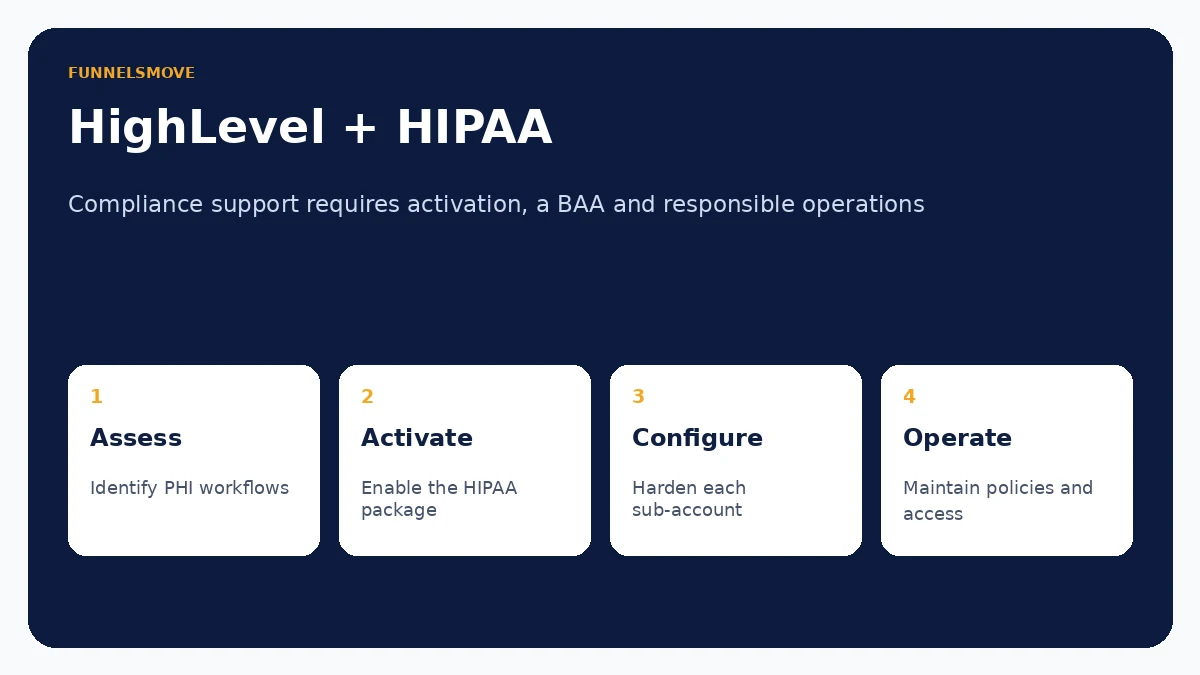
HighLevel can support HIPAA-regulated workflows when its HIPAA package is purchased and correctly configured, but HighLevel is not HIPAA-ready by default. HighLevel’s official HIPAA page says an agency must activate the HIPAA module and complete a Business Associate Agreement (BAA). Its June 2026 support documentation lists the package at $297 per month account-wide and says a BAA is included. HighLevel’s public pricing also lists a $2,970 annual option.
That does not mean buying the add-on makes an agency, healthcare practice or every connected system automatically compliant. HIPAA applies to people, policies, vendors, access controls, risk management and the way protected health information (PHI) is handled across the full workflow. HighLevel provides platform safeguards and contractual support; the customer remains responsible for its own compliance program.
What HIPAA means when you use HighLevel
HIPAA is a U.S. federal framework governing certain uses and safeguards for protected health information. In software projects, the important question is whether a covered entity or business associate will create, receive, maintain or transmit PHI through the platform. HHS explains that covered entities and business associates generally need written business-associate arrangements where a vendor or subcontractor handles PHI on their behalf.
For a HighLevel account, PHI could potentially enter through forms, contact records, messages, appointment intake, notes, automations or integrations. Before enabling a healthcare workflow, identify where PHI enters, who can access it, where it is sent, which third parties receive it and how long it is retained. A HIPAA setting on one platform cannot protect data that is copied into an unapproved downstream system.
What HighLevel’s HIPAA package provides
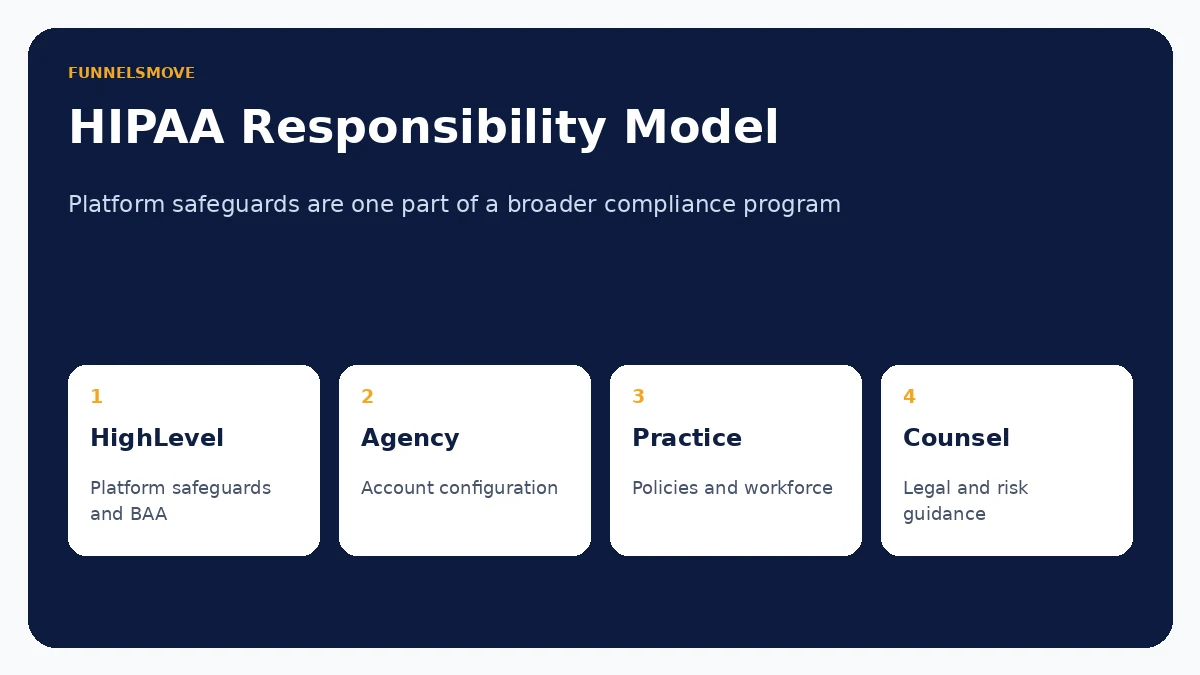
HighLevel describes its HIPAA package as an account-wide add-on that includes a signed BAA and additional safeguards. Its current support documentation lists encryption of ePHI, audit logging and MFA enforcement among the package benefits. The company’s privacy-and-security page also describes encryption in transit and at rest, user permissions, audit logs and other security controls.
The package must be activated intentionally. HighLevel’s current setup instructions say the agency owner signs the BAA, after which HIPAA protection must be enabled for each required sub-account in Advanced Settings. HighLevel also states that once the HIPAA package is purchased it cannot be disabled, and once HIPAA is enabled for a sub-account that setting cannot be turned off. Those constraints make pre-purchase planning important.
How the Business Associate Agreement works
HighLevel makes a BAA available as part of its paid HIPAA package. The BAA matters because HHS states that business-associate contracts define permitted uses and disclosures of PHI and require appropriate safeguards. HighLevel’s current Terms of Service say its BAA is contingent on the HIPAA package remaining active and fully paid; if that package lapses for non-payment, the BAA can terminate.
A BAA with HighLevel does not replace BAAs or other agreements that may be required with your own clients, subcontractors or other service providers. If an agency handles PHI for a healthcare practice, the agency should determine with qualified counsel which entities are covered entities, business associates or subcontractors and which contracts must be in place.
Shared responsibility: what the customer still has to do
HIPAA compliance is operational. Customers still need appropriate user access, workforce training, written policies, risk analysis, incident procedures, retention practices, vendor review and controls around exports and integrations. HHS’s Security Rule summary specifically describes risk management, written policies and documentation requirements for regulated entities.
Within HighLevel, use least-privilege permissions, require strong authentication, review audit activity, limit PHI to what the workflow genuinely requires and test integrations before production use. Do not assume an automation, AI feature, calendar, phone service or external connector is automatically covered merely because the main HighLevel account has the HIPAA package.
Important limitations and operational risks
HighLevel’s HIPAA support applies to the platform under the applicable package and agreement; it does not certify every business process. A form embedded on another site, a webhook posting patient information to another service, an exported CSV, a staff member’s personal device or an unapproved messaging workflow can create separate risk.
Marketing teams should also separate healthcare marketing data from clinical or treatment information where possible. Collect only what is necessary. Before sending PHI through email, SMS, AI, integrations or custom code, verify whether that specific workflow is permitted under your policies, agreements and applicable law.
Who should consider the HIPAA package?
The package is most relevant to agencies and organizations that deliberately plan to use HighLevel with U.S. healthcare providers or other HIPAA-regulated workflows involving PHI. HighLevel’s own HIPAA page specifically addresses agencies serving medical, dental, wellness and allied-health clients.
If a client only uses HighLevel for general public marketing and no PHI enters the system, the compliance analysis may be different. Do not infer that HIPAA applies—or does not apply—solely from the client’s industry. Map the actual data and service relationship.
Pre-launch HIPAA checklist for a HighLevel workflow
- Confirm whether HIPAA applies to the organization and the specific data flow.
- Purchase and activate HighLevel’s current HIPAA package where required.
- Complete and retain the applicable BAA documentation.
- Enable HIPAA for each required sub-account.
- Review user permissions, MFA and audit logging.
- Inventory every integration, export and downstream processor touching PHI.
- Document workforce policies, training, incident response and retention rules.
- Run a risk assessment before production use and review it when the environment changes.
Evaluate HighLevel’s HIPAA package carefully
If your workflow will handle PHI, verify the current package, BAA terms and sub-account configuration, then review the full data flow with qualified compliance or legal professionals.
Review HighLevel (opens in a new tab)Frequently asked questions
Does the normal HighLevel subscription make an account HIPAA-ready?
No. HighLevel states that its HIPAA package must be purchased and activated; the platform is not HIPAA-ready by default.
How much is the HighLevel HIPAA add-on?
HighLevel currently lists the HIPAA package at $297 per month account-wide, with a $2,970 annual option on its HIPAA page. Verify current pricing before purchase.
Does HighLevel provide a BAA?
HighLevel states that a BAA is included with the HIPAA package and can be managed in the platform. The BAA remains tied to an active paid HIPAA-package subscription.
Does using HighLevel make my healthcare business HIPAA compliant?
No. HighLevel can provide technical and contractual safeguards, but the customer remains responsible for its own policies, workforce, risk management, configuration, vendors and lawful handling of PHI.
Sources checked
Research and time-sensitive product facts were reviewed on September 14, 2026.
- HighLevel HIPAA compliance support article (opens in a new tab)
- HighLevel HIPAA page (opens in a new tab)
- HighLevel privacy and security (opens in a new tab)
- HighLevel Terms of Service (opens in a new tab)
- HHS business associate guidance (opens in a new tab)
- HHS HIPAA Security Rule summary (opens in a new tab)