HighLevel Missed Call Text Back: Setup and Workflow Guide
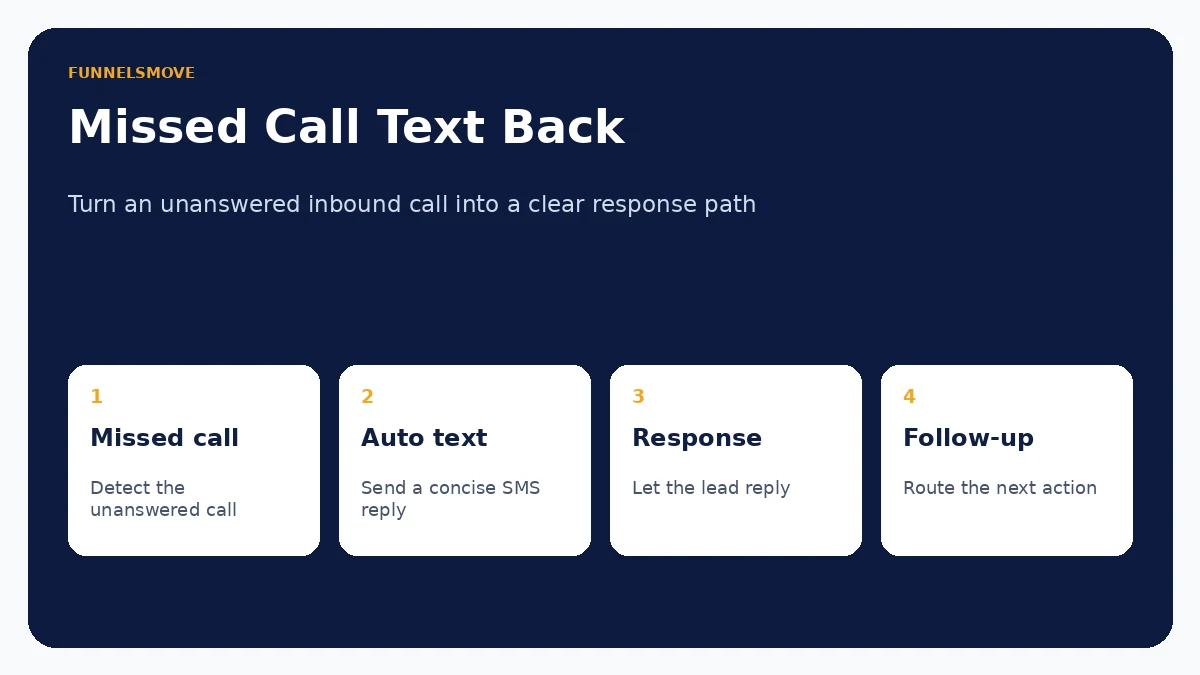
HighLevel can automatically text an inbound caller when a call is missed, helping a business acknowledge the lead quickly while the team is unavailable.
For broader context, see the HighLevel platform hub. Related reading: HighLevel platform guide HighLevel CRM HighLevel setup guide.
What is HighLevel Missed Call Text Back?
Missed Call Text Back automatically sends an SMS when an inbound call is missed. HighLevel’s current support documentation says the feature can select an eligible sending number if the number that received the call cannot send SMS. The goal is simple: acknowledge the caller and create a text conversation instead of leaving the lead waiting for a manual callback. The important caveat is that the basic feature can send a text for every missed call, including repeated attempts in a short period.
How to configure the basic feature
In the relevant HighLevel sub-account, open the phone-system settings for the location and locate Missed Call Text Back. Enable the feature, review the sending number configuration and write a concise message that identifies the business and gives the caller a useful next step. Keep the message appropriate for an automated response. Do not imply that a person has read the caller’s request when nobody has. After saving, test from a phone number that is not part of the account.
Why repeated missed calls need special handling
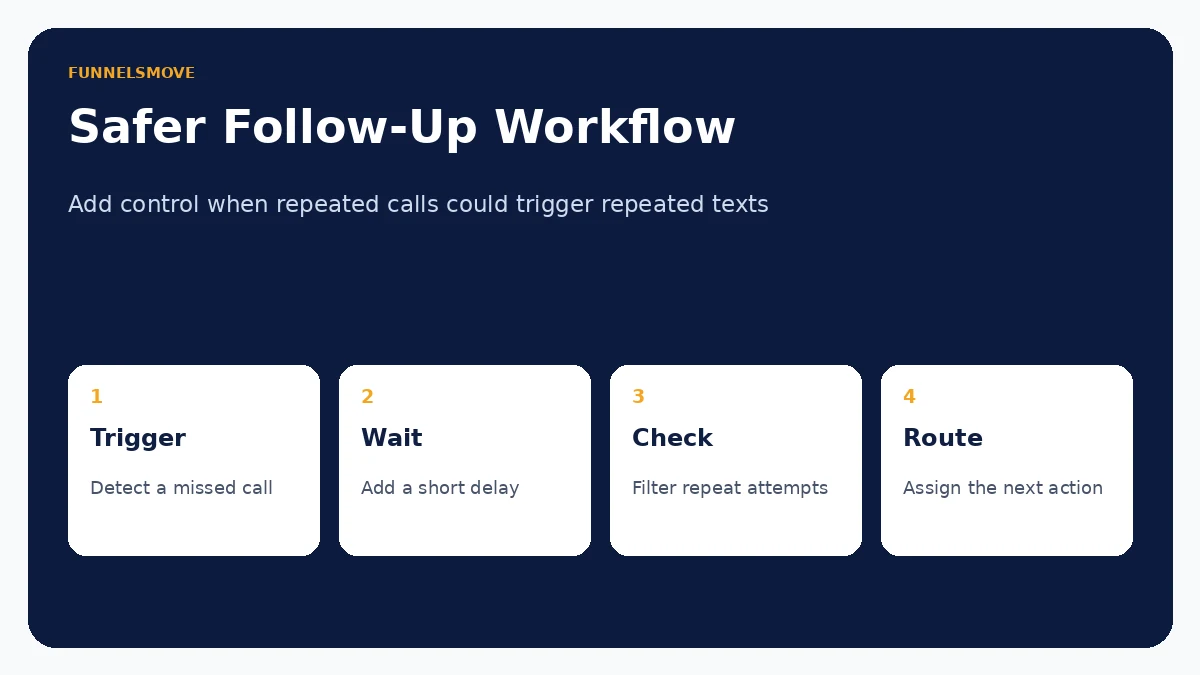
HighLevel explicitly notes that Missed Call Text Back triggers for every missed call. If a caller rings three times because they are trying to reach someone urgently, a basic configuration can produce three automated texts. HighLevel recommends using a workflow recipe when you need more control, for example adding a wait step or filtering with tags. That is usually the better design for businesses with meaningful repeat-call volume.
Build a safer workflow
A controlled workflow can trigger from the missed-call event, wait briefly, check whether the lead has already received a response, then send the message only when appropriate. You can add owner assignment, opportunity creation or an internal notification after the text. Keep the workflow focused: the first automated message should acknowledge the call and offer a clear next action, not launch a long nurture sequence before the person replies.
Write a useful automatic reply
A strong reply is short and transparent. Identify the business, acknowledge the missed call, and invite the caller to reply or book. Avoid aggressive sales copy. For example, the structure can be: “Thanks for calling [Business]. We missed you. Reply here with what you need, or use this booking link if you’d like a time.” Adapt the wording to consent requirements and the type of service. Do not send sensitive information by SMS.
How sending-number selection works
The September 2026 HighLevel documentation describes smarter sending-number selection. If the called number is not SMS-capable, HighLevel can choose an eligible sending number. That reduces a common delivery failure, but businesses should still test the actual number configuration, registration status and caller experience. A reply arriving from an unexpected number can confuse customers if the message does not clearly identify the business.
Consent, frequency and customer experience
Automated SMS is not merely a technical setting. U.S. businesses should review their consent and messaging practices, carrier registration and applicable rules for their use case. Keep frequency reasonable, provide expected identification and respect opt-outs. If the call relates to healthcare, legal, financial or other sensitive matters, be especially careful about what the automated text says and stores.
How to judge whether it is working
Measure more than the number of texts sent. Track reply rate, booked appointments, duplicate messages, opt-outs and staff follow-up time. Compare those outcomes with the prior manual callback process. If replies arrive but nobody owns them, automation has only moved the bottleneck. Connect the response path to the CRM and assignment process so a useful conversation can continue.
Missed Call Text Back FAQ
Does it send after every missed call?
HighLevel’s current documentation says yes, including repeated missed calls. Use a workflow if you need deduplication or timing logic.
What if the called number cannot send SMS?
HighLevel now documents smarter selection of an eligible sending number. Test the configuration so the message still makes sense to the caller.
Should I use the basic feature or a workflow?
The basic feature is suitable for a simple immediate acknowledgment. A workflow is better when you need waits, filters, ownership, branching or protection against repeated messages.
Related guide: HighLevel workflows.
Evaluate HighLevel for your workflow
Check the current plan, feature and usage details against the workflow you actually need before committing.
Visit HighLevel (opens in a new tab)Sources checked
Product facts and time-sensitive pricing were reviewed on September 13, 2026.