Systeme.io CRM: Pipelines, Contacts and Automation
Systeme.io combines contact management with Kanban-style sales pipelines, notes, tags and automation for businesses that want lead tracking inside the same marketing platform.

What is the Systeme.io CRM?
Systeme.io’s CRM centers on contacts and visual sales pipelines that help you track opportunities through customizable stages. The current official CRM documentation describes a Kanban-style board where contacts or deals move through the sales process, with notes and automation available alongside the pipeline.
This is useful context because “CRM” can mean very different things. Systeme.io is not positioned as a sprawling enterprise customer platform with every specialist sales operation feature. Its advantage is integration: the same contacts can participate in email campaigns, funnels, tags and automation without requiring a separate database sync.
For a creator, consultant or small team, that can be enough to turn a basic contact list into an organized sales process.
How Systeme.io pipelines work
A pipeline represents the stages a lead or opportunity passes through. Systeme.io’s help center says a new pipeline starts with six default stages—new leads, initial contact made, proposal sent, negotiation, deal won and deal lost—and those stages can be modified or rearranged.
Contacts can be added manually to a stage or added and moved automatically with automation rules. The board supports drag-and-drop movement, making it easy to see where active opportunities sit without opening every contact record.
The most useful pipeline is usually the simplest one that reflects real decisions in your sales process. Too many stages create administrative work; too few make the board uninformative.
A four-step CRM pipeline workflow
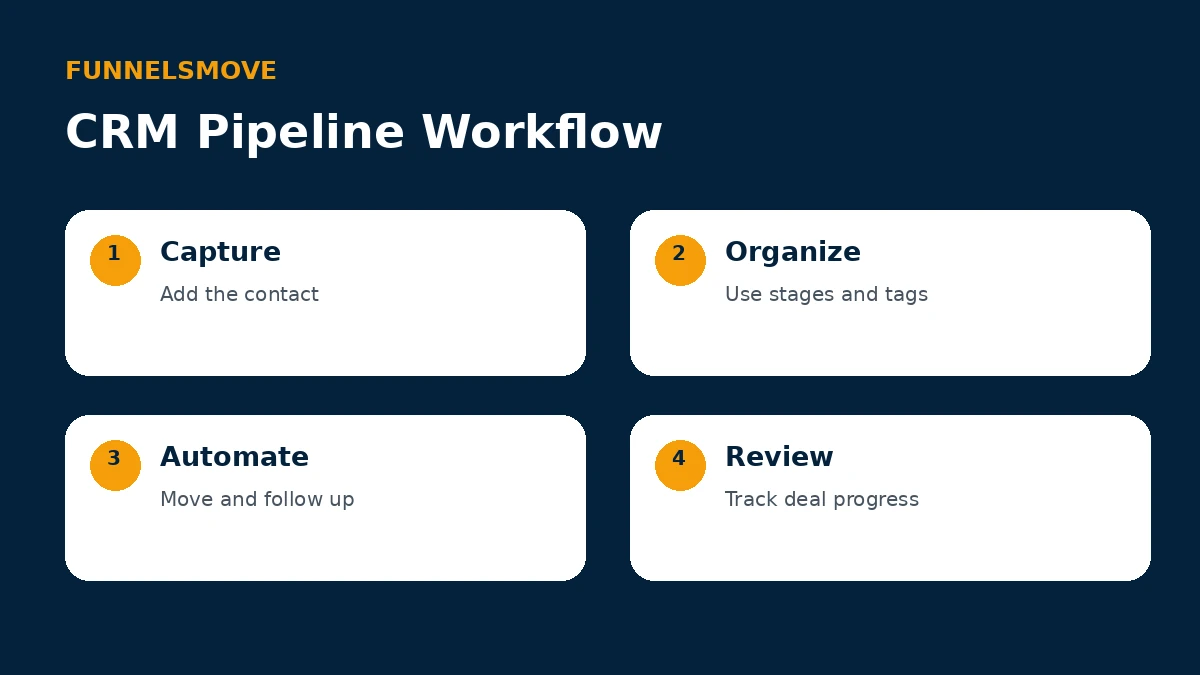
Think of the CRM as a loop: capture the contact, organize the opportunity, automate predictable actions and review what needs human attention. That keeps the board connected to actual follow-up instead of becoming a static list.
For the automation layer, see our Systeme.io email marketing guide and Systeme.io integrations guide. They show where communication and external connections fit around the CRM.
Contacts, tags and segmentation
Contacts are the foundation of the CRM. Systeme.io lets you add contacts manually and import contact lists, and its help documentation emphasizes obtaining appropriate consent before sending marketing email. Contact records can then be organized with tags.
Tags are useful for describing origin, status or relationship—for example, a customer, student or lead source. They also connect to segmentation and automation. Because assigning a tag can trigger other rules, audit existing automations before bulk-changing tags so you do not accidentally launch messages or campaigns.
Use a naming convention that another person could understand. A small set of purposeful tags is generally easier to maintain than dozens of overlapping labels that describe nearly the same thing.
Notes and sales context
Systeme.io allows notes to be attached to pipeline contacts. That gives a salesperson or owner somewhere to record call summaries, objections, context or next-step information without keeping a separate document for every lead.
Notes are most valuable when they capture information that changes the next action. Avoid turning the contact record into an unstructured diary. Record what was agreed, what matters to the prospect and what should happen next.
For teams, consistent note-taking also reduces the risk that important context lives only in one person’s inbox or memory.
Automating pipeline movement and follow-up
Official documentation says contacts can be added to a pipeline or moved between stages automatically with automation rules. Systeme.io’s CRM page also describes trigger-based movement and follow-up actions tied to contact behavior.
A useful automation might add a qualified lead to a pipeline after a form submission, move an opportunity after a defined action, add a tag, or send an appropriate follow-up email. The goal is to automate predictable administration while keeping judgment-heavy sales conversations human.
Test each rule with a sample contact before relying on it. A misconfigured CRM automation can move an opportunity to the wrong stage or trigger communication at the wrong moment.
Who is the Systeme.io CRM best for?
The built-in CRM is a natural fit for businesses already using Systeme.io for funnels, email or automation and needing a straightforward way to track leads and opportunities. The value comes from having the sales pipeline close to the marketing activity that creates and nurtures those contacts.
It may be less suitable for organizations that require complex account hierarchies, advanced territory management, deep sales forecasting, highly specialized reporting or a large ecosystem of enterprise CRM extensions. Those requirements should be evaluated independently rather than assuming every CRM serves the same operational model.
For a smaller operation, the question is simpler: does the integrated pipeline give you enough structure to know who needs attention and what should happen next?
A practical CRM setup checklist
Start by mapping your actual sales process on paper. Create stages only for meaningful changes in status, decide what qualifies a contact to enter the pipeline, and define what “won” and “lost” mean. Then create or adjust the stages in Systeme.io.
Next, establish tag names and note-taking conventions. Add a few test contacts, move them manually, and confirm that the board communicates the state of each opportunity clearly. Only then add automation rules.
Finally, review the pipeline regularly. Automation can keep records moving, but stale opportunities, unclear next steps and inconsistent data still need human attention.
Bottom line
Systeme.io CRM provides an integrated contact-and-pipeline layer rather than requiring every small business to adopt a separate CRM immediately. Its Kanban stages, contact notes, tags and automation can cover a practical lead-management workflow when the surrounding marketing already lives in Systeme.io.
Businesses with more specialized sales operations should compare those requirements with dedicated CRM products. For simpler workflows, the integration between contacts, pipelines, email and automation is the main reason to consider using the built-in CRM.
Explore Systeme.io for your workflow
Review the platform directly and decide whether its integrated tools match the way you want to run your business.
Related Systeme.io guides
Start with the Systeme.io platform guide, compare Systeme.io pricing, or explore Systeme.io integrations.