Systeme.io Landing Pages: Builder, Setup and Fit
Systeme.io landing pages combine a visual page builder with forms, funnels and automation, giving creators a direct path from visitor to follow-up.

What are Systeme.io landing pages?
Systeme.io landing pages are focused pages built with the platform’s visual editor and connected to its funnels, forms and marketing tools. The official Systeme.io landing-page guidance describes a drag-and-drop builder, pre-built pages, native form connections, mobile-responsive layouts, A/B testing and page-level analytics.
A landing page works best when it has one primary job. That might be collecting an email address, registering someone for an event, presenting an offer or moving a visitor to checkout. Keeping the page focused makes its purpose easier to understand and its performance easier to evaluate.
This is different from a full website. A website may support navigation across many topics, while a landing page usually removes unnecessary choices and concentrates attention on one next step.
A practical landing-page workflow
Start with the conversion goal, not the template. Decide what action matters, what the visitor needs to believe before taking it, and what should happen immediately afterward. Then choose a layout that supports that sequence.
Systeme.io’s editor lets you assemble sections, forms, buttons, video and other page elements without standard coding. Templates can shorten setup time, but the copy, proof and offer still need to match your audience.
Before publishing, test the form or button, confirmation behavior, mobile layout, tracking and follow-up. A polished page that sends leads to the wrong automation is still a broken funnel.
Four steps from page idea to published funnel
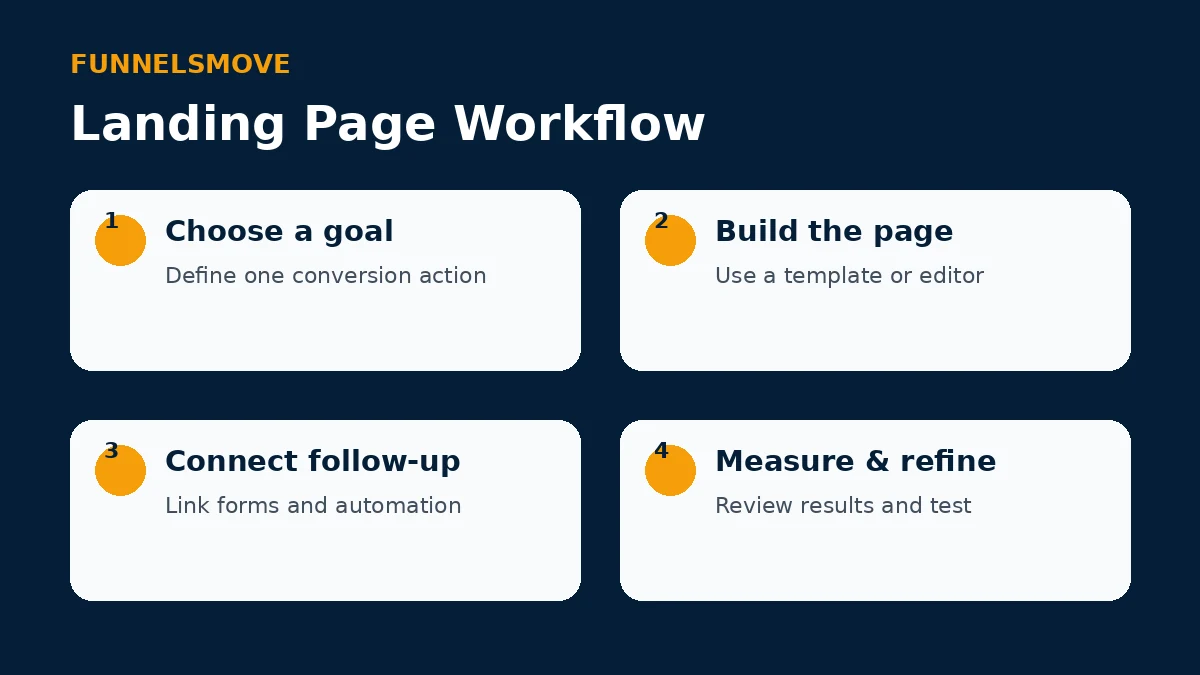
The sequence is simple: define the goal, build the page, connect the follow-up and measure what happens. That keeps design decisions tied to the business outcome rather than treating the landing page as a standalone graphic.
If you are choosing a starting layout, see our Systeme.io templates guide. For the wider sequence around the page, use the Systeme.io funnel builder guide.
What should a Systeme.io landing page include?
Most effective pages need fewer elements than people expect: a clear promise, enough explanation to establish relevance, appropriate proof, one primary call to action and a form or checkout path that works. Longer pages can be appropriate when the offer requires more context, but every section should earn its place.
Forms can feed contacts into the same platform used for email marketing and automation. That native connection is useful because the landing page is only the first step; the follow-up experience often determines whether a lead becomes a customer.
Mobile responsiveness and page speed
Systeme.io says its templates are mobile-responsive, but responsive does not mean every custom page is automatically clear on a phone. Preview important breakpoints, check heading wraps, button size, form fields, image weight and spacing, and make sure the main action appears without awkward horizontal scrolling.
Keep media purposeful and compressed. Large background videos, oversized images and excessive third-party scripts can make a simple landing page feel slow even when the underlying builder is capable.
A/B testing and measurement
The platform’s landing-page materials describe two-variant testing and page analytics. Use testing when you have enough traffic and a specific hypothesis. Changing many elements at once may produce a different result without telling you why.
Start with meaningful variables such as the offer framing, headline, form length or primary call to action. Measure the conversion that matters rather than optimizing for clicks that do not advance the customer journey.
Who should use Systeme.io for landing pages?
Systeme.io is a practical fit when the landing page needs to connect directly with funnels, email, checkout or course delivery and you prefer to manage those pieces in one account. It may be less suitable when a team needs a highly customized front-end framework, unusual development tooling or a separate enterprise experimentation stack.
The deciding question is operational: does keeping the page and follow-up workflow together reduce complexity for your business?
Pre-publish landing-page checklist
Before sending paid or organic traffic, verify the page as a complete system. Confirm the headline matches the ad, email or internal link that brought the visitor there. Make sure the primary call to action is visually obvious, the form requests only information you genuinely need, and the confirmation state tells the visitor what happens next.
Check every automation triggered by the form, including tags, campaigns and access rules. Submit several test addresses and verify that messages arrive as expected. If the page sells directly, complete a test transaction using the payment processor’s supported testing method and confirm the post-purchase destination.
Finally, review analytics and privacy requirements. Track the conversion event you intend to optimize, avoid collecting unnecessary personal data, and make sure any consent language reflects the way you actually use subscriber information.
Frequently asked questions
Can Systeme.io create landing pages without coding?
Yes. Its current landing-page and website-builder materials describe a visual drag-and-drop editor for standard page creation.
Can landing pages connect to email automation?
Yes. Forms and contacts can connect with Systeme.io’s email and automation features, allowing a lead-capture page to trigger follow-up inside the platform.
Should I use a landing page or a full website?
Use a focused landing page for a specific campaign or conversion goal. Use a multi-page website when visitors need broader navigation and information architecture.
Sources and verification
Product capabilities and plan details can change. We checked the following official vendor resources for this article:
Explore Systeme.io
Review the current platform details and decide whether its workflow fits your business.
Explore Systeme.io (opens in a new tab)