ClickFunnels Pricing in 2026: Plans, Costs, and How to Choose
Current pricing plus a practical way to decide whether Launch, Scale, Optimize or an alternative is financially sensible for your business.
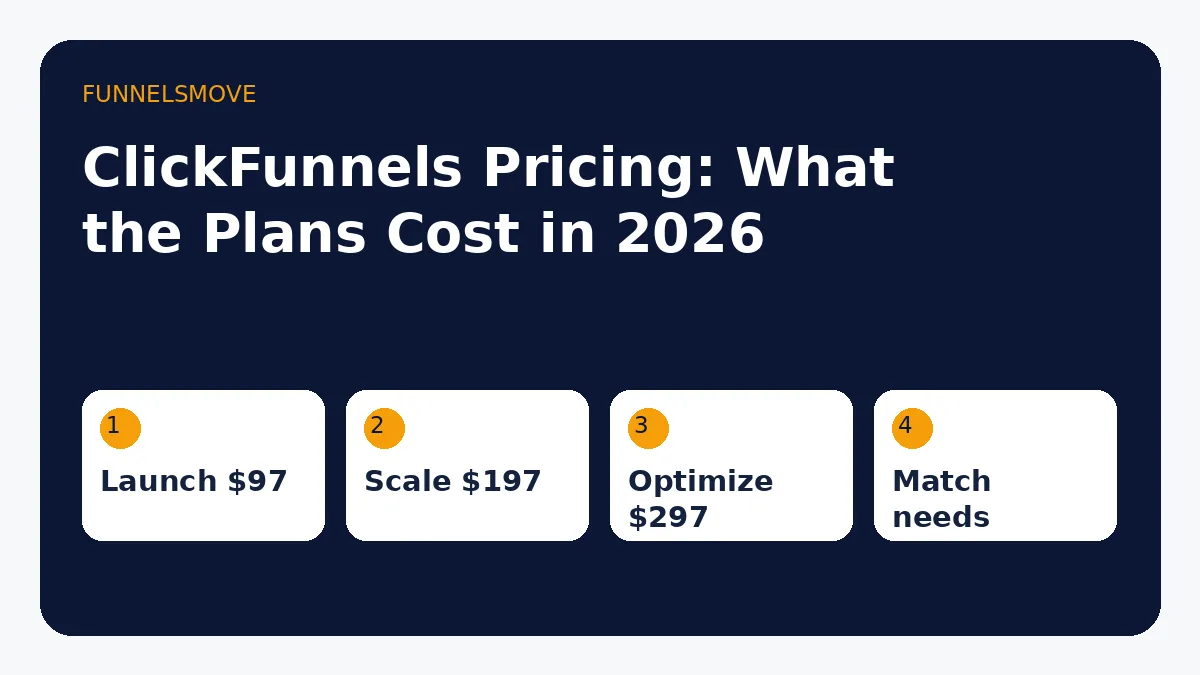
Current ClickFunnels pricing in 2026
As of August 31, 2026, ClickFunnels lists three primary monthly plans: Launch at $97/month, Scale at $197/month, and Optimize at $297/month. The company also offers annual billing and an annual-only Dominate tier.
| Plan | Monthly billing | Annual total* | Best starting point for |
|---|---|---|---|
| Launch | $97/mo | $970/yr | One business/workspace with modest contact and course needs |
| Scale | $197/mo | $1,970/yr | Growing operations needing more workspaces, contacts, courses and technical access |
| Optimize | $297/mo | $2,970/yr | Larger funnel operations with higher limits and more team capacity |
| Dominate | Annual only | $5,997/yr | High-capacity operations that need the top published tier |
*Annual totals are from ClickFunnels’ 2026 support documentation. The public pricing page may display the annual price as an effective monthly amount. Always confirm the current checkout terms before purchasing.
How much is ClickFunnels per month?
As of September 3, 2026, ClickFunnels’ official support documentation lists Launch at $97/month, Scale at $197/month, and Optimize at $297/month. It also lists annual billing of $970, $1,970 and $2,970 respectively, plus an annual-only Dominate plan at $5,997.
Do not rely on old “$19 ClickFunnels” tutorials or assume a free account is permanently available. Trials and promotions can change independently of standard plan pricing. Verify the current checkout terms before subscribing or budgeting for a client.
What changes between plans
The tier decision is not just a funnel-count decision. ClickFunnels’ public pricing page distinguishes plans using workspaces, team members, contact and email limits, course/community allowances, custom domains, support level, AI usage and some advanced technical features.
At the time of this update, the public page lists Launch with one workspace, two team members, 10,000 contacts, 50,000 emails per month, three courses and five custom domains. Scale increases those allowances and adds capabilities such as the custom code editor and webhooks/full API access. Optimize raises capacity again. Because these limits are time-sensitive, use them as a planning reference and verify the live pricing table before purchase.
The practical lesson is simple: choose based on the first limit you are likely to hit, not on the marketing name of the tier.
How to choose the right ClickFunnels plan
Start by mapping the business you will run during the next 6–12 months. Count active brands or workspaces, users who need access, current contacts, expected email volume, courses or communities, domains and any requirement for API/webhook access.
Then add a buffer for realistic growth without paying for imaginary scale. If Launch covers the workflow with comfortable headroom, starting there is usually more rational than prepaying for Scale. If a required integration depends on API access or your contact volume already exceeds Launch, the higher tier may be necessary from day one.
Do not choose a plan because you hope extra software capacity will create demand. Capacity should follow a working acquisition process.
Monthly versus annual billing
Annual billing can lower the effective monthly cost, but it also converts a flexible software decision into a larger upfront commitment. That trade-off matters most for businesses that are still validating their funnel.
Monthly billing is more expensive over a full year but can be useful while you are learning the platform, testing the workflow or comparing alternatives. Annual billing makes more sense after you are confident the platform fits the business and you expect to use it for the full term.
A useful rule is to separate the product decision from the billing decision. First determine whether ClickFunnels is the right platform. Only then decide whether the annual discount compensates for the loss of flexibility.
Calculate total stack cost
ClickFunnels competes with a stack, not only with other funnel builders. A realistic comparison may include landing-page software, email marketing, checkout or cart tools, automation services, course hosting and connector services. Add only the tools you would truly replace.
For example, if you already pay for three systems that ClickFunnels would make unnecessary, the $97 Launch price could be lower than the status quo. If you would keep those systems because they are central to the business, ClickFunnels becomes an additional cost rather than a replacement.
Also include migration time. Rebuilding pages, reconnecting domains, importing contacts, recreating automations and checking analytics are real costs even when no invoice is attached.
When $97 per month is too much
Launch can still be too expensive for a pre-revenue project, especially when the business has not proven that people will buy the offer. A free or cheaper funnel tool can be a better laboratory while you validate messaging, traffic and conversion.
The same is true when your funnel is extremely simple. If the full journey is one landing page feeding an existing email platform, an integrated suite may solve problems you do not have.
See the ClickFunnels alternatives guide for budget and specialist options, and the small-business funnel guide for a simpler way to design the journey before selecting software.
When ClickFunnels pricing can be reasonable
The price becomes easier to defend when several included capabilities are used every week and the platform replaces brittle integrations. A business with a proven offer, recurring lead flow and a repeatable sales process can often evaluate software based on operational leverage rather than sticker price alone.
That does not mean the platform “pays for itself.” Revenue depends on the offer, traffic, conversion, margins and execution. Software is only one part of the system. The responsible comparison is whether ClickFunnels reduces cost or friction relative to realistic alternatives.
Plan selection checklist
- Count workspaces or brands you actually operate.
- Estimate contacts and monthly email volume from current data.
- List courses, communities and domains you need now.
- Confirm whether custom code, webhooks or API access are required.
- Compare the tier against the subscriptions it would replace.
- Use monthly billing while fit is uncertain; consider annual only after fit is established.
- Verify the live ClickFunnels pricing page before checkout.
For a broader product decision, read the full ClickFunnels review. It separates platform fit from pricing so you do not choose a plan before deciding whether the platform itself is right.
Budget scenarios
A pre-revenue creator should compare Launch against a minimal validation stack and preserve cash if the extra capability is not yet needed. A growing service business using several disconnected tools should compare the same plan against its combined software bill and the time spent maintaining integrations. A larger team should model the first capacity constraint—workspace, contact, email, course, user or technical-access limits—because that constraint determines the realistic tier.
These scenarios produce different answers from the same sticker price. Pricing is only meaningful when attached to an operating model.
Sources and verification
This pricing guide uses the ClickFunnels pricing page (opens in a new tab) and ClickFunnels 2.0 pricing support article (opens in a new tab) as primary sources. Prices and limits were checked on August 31, 2026. FunnelsMove does not publish an unverified discount, guarantee a trial term, or assume the current configuration will remain unchanged.
If you already subscribe and need to change plans, pause, or leave, see how to manage or cancel a ClickFunnels account.
Subscription price is only part of the stack cost; the Kajabi vs ClickFunnels comparison looks at operating-model tradeoffs as well.
Related comparison: SamCart vs ClickFunnels.
Related comparison: ClickFunnels vs Leadpages.
Evaluate ClickFunnels against your workflow
Check the current signup flow, plan details and terms before committing. Use your own funnel requirements—not a generic feature list—as the decision standard.
Explore ClickFunnels (opens in a new tab)