ThriveCart vs ClickFunnels: Checkout-First vs Funnel-First
ThriveCart is centered on checkout, billing and offer monetization; ClickFunnels is centered on the broader funnel journey. The best choice depends on what you need to replace.
ThriveCart vs ClickFunnels: the short answer
Choose ThriveCart when the central problem is checkout: selling products, configuring billing options, order bumps, upsells, subscriptions and cart automation while keeping much of your existing website and marketing stack. Choose ClickFunnels when you want to build the wider acquisition-to-purchase journey—landing pages, funnel steps, offers, checkout and follow-up—inside one funnel-oriented platform.
Both products now cover more than those summaries suggest. ThriveCart includes funnels, courses and community-related features; ClickFunnels includes stores, courses, email capacity and checkout. Compare the workflow you need most rather than assuming either product is only a “cart” or only a “page builder.”
Where the products start
ThriveCart’s current feature set starts with cart and checkout pages, payment options, bump offers, upsells/down-sells, subscriptions, funnel automation, A/B testing and abandoned-cart recovery. It is designed to monetize an offer efficiently and connect that transaction to the rest of a creator or online-business stack.
ClickFunnels starts with the funnel journey. Its current plans include funnels, landing pages, stores, site pages, contacts, email allowances and courses. That makes it easier to treat the pre-sale page sequence and checkout as one system rather than integrating a separate page builder and cart.
Checkout and offer control
ThriveCart emphasizes checkout configuration. Its current Standard feature list includes customized cart/checkout pages, checkout in 100+ countries, one bump offer, one-click upsells and down-sells, subscriptions and multiple payment patterns. Businesses that already have traffic, pages and email may find that narrow focus attractive.
ClickFunnels checkout is designed as part of a funnel. That matters when the business needs a sequence of opt-in, sales, order, upsell and confirmation pages rather than simply improving the payment step. Evaluate the whole path, not the checkout screen in isolation.
Funnels and landing pages
ThriveCart advertises unlimited products and funnels on its Standard plan, but its funnel concept is closely tied to offer monetization. ClickFunnels is purpose-built around multi-step funnel creation and currently includes unlimited funnels under its listed limited-time plan offer, plus unlimited landing pages and site pages.
If your acquisition pages already live in WordPress, Webflow or another system, moving them merely to consolidate software may not be worthwhile. ThriveCart can let those pages remain while the checkout layer changes. If the existing page stack is fragmented or hard to maintain, ClickFunnels’ broader consolidation may be more useful.
Upsells, bumps and subscriptions
Both platforms support common direct-response offer patterns. ThriveCart’s current feature page explicitly lists bump offers, one-click upsells/down-sells and subscription billing. ClickFunnels also supports funnel-based offer sequencing and payment flows.
The important implementation questions are more specific: which payment processors are supported for the required billing model, how taxes are handled, what happens on failed recurring payments, how refunds affect access, and which events can be sent to your CRM or email system. Test those with the exact provider and currency you intend to use.
Courses and digital products
ThriveCart Standard currently includes ThriveCart Academy Starter with unlimited courses/students and stated community limits. ClickFunnels current plans also include courses/community capacity, with plan-specific limits.
If course delivery is a major part of the business, do not choose based only on whether a course feature exists. Test lesson authoring, student access, community experience, payment-to-access automation and support workflows. A specialist course platform may still be appropriate for advanced learning requirements.
Pricing models
ThriveCart changed its pricing model in 2026 and now offers monthly-plan options; its July 2026 announcement states plans start at $47/month billed monthly or $37/month on an annual commitment, with a 30-day trial. Current feature and checkout packaging should be verified at purchase because ThriveCart historically used different licensing models.
ClickFunnels currently lists Launch at $97/month, Scale at $197/month and Optimize at $297/month on monthly billing, with annual discounts and a higher annual-only tier. The ClickFunnels subscription also bundles a broader set of site, funnel, email and course capabilities.
Compare total stack cost. A lower-priced checkout can still require a separate site builder, email platform and CRM; a broader platform can cost more while replacing several subscriptions.
Comparison table
| Priority | ThriveCart | ClickFunnels |
|---|---|---|
| Checkout-first business | Core strength | Strong, within broader funnel system |
| Multi-step acquisition funnels | Offer/funnel tools | Core strength |
| Keep existing website | Natural fit | Possible, but may duplicate page tools |
| Courses | Academy included by plan | Courses/community included with limits |
| Consolidate pages + funnel + checkout | Less central | Core proposition |
Choose ThriveCart if…
- Your website, email and traffic stack already works and checkout is the weak point.
- You need flexible offer monetization without migrating the whole site.
- Cart, billing and post-purchase offer controls matter more than a unified page builder.
- You prefer a narrower commerce layer that integrates with other systems.
Choose ClickFunnels if…
- You want the sales page, funnel steps and checkout in the same environment.
- You need to build many campaign-specific landing pages and journeys.
- You want to consolidate more of the small-business marketing stack.
- Funnels—not only checkout—are the core operational unit.
Migration checklist
- Inventory products, prices, subscriptions, coupons and tax settings.
- Map payment processors and currencies.
- Document upsells, bumps and access rules.
- Test successful, failed, refunded and recurring transactions.
- Rebuild integrations and verify event payloads.
- Keep existing checkout URLs active until production links are changed deliberately.
- Compare first-year platform and remaining-tool costs.
Related research: SamCart vs ClickFunnels, ClickFunnels products and checkout and ClickFunnels pricing.
Payments, processors and billing operations
A checkout platform sits between the offer and a payment processor, so verify which processor, currency and billing patterns your business requires. ThriveCart advertises payment-processor integrations and subscription billing; ClickFunnels also supports payment integrations across its commerce and funnel flows. Neither should be described as the bank that ultimately settles every transaction.
Operationally, test more than a successful card payment. Include failed payments, subscription renewal, cancellation, refund, coupon, tax and access changes. If a course or membership is unlocked after payment, verify what happens when payment later fails or is refunded.
Integrations and automation
ThriveCart often sits inside an existing stack, so integration quality is central to its value. A purchase may need to add a customer to an email platform, grant course access, update a CRM or send data to analytics. ClickFunnels can consolidate more of those steps inside its own funnel environment while still connecting outward.
The trade-off is straightforward: fewer platforms can mean fewer integration failures, while a modular stack can let each tool specialize. Document the system of record for contacts, products, subscriptions and access before changing checkout software.
Reporting and optimization
ThriveCart’s checkout focus makes order value, conversion and offer performance natural evaluation areas. ClickFunnels lets teams examine the broader funnel sequence. In either case, define conversion events consistently and keep traffic-source data intact so a checkout improvement is not confused with a change in audience quality.
A/B testing is useful only when the test has a clear hypothesis and enough relevant traffic to interpret. Do not copy another business’s “winning” checkout or upsell and assume the result transfers.
Which platform fits common scenarios?
Creator with a mature WordPress site and email platform: ThriveCart can be the more focused evaluation because the business may only need a stronger commerce layer. New direct-response business: ClickFunnels can reduce the number of separate systems needed to create pages, funnels and checkout. Course seller: both deserve testing because both include learning-related capabilities; member experience and access automation should decide more than the feature checklist.
Important limitations
ThriveCart’s narrower focus means you may still need separate website, CRM and email tools. ClickFunnels’ broader scope can be unnecessary if those systems already work well. Both require careful payment, tax, privacy and integration setup, and neither guarantees higher conversion simply because its checkout supports upsells or testing.
Team workflow and maintenance
ThriveCart can be attractive to a small team that wants the commerce layer to stay focused while specialists continue using separate site and email tools. ClickFunnels can be attractive when one team owns the entire funnel and benefits from editing pages, offers and follow-up in a shared environment.
Consolidation is not automatically simpler. A broad platform still needs naming standards, permissions, domain management, payment testing and automation maintenance. A modular stack needs integration monitoring and clear system ownership. Choose the operational burden your team can actually manage.
Questions to answer before choosing
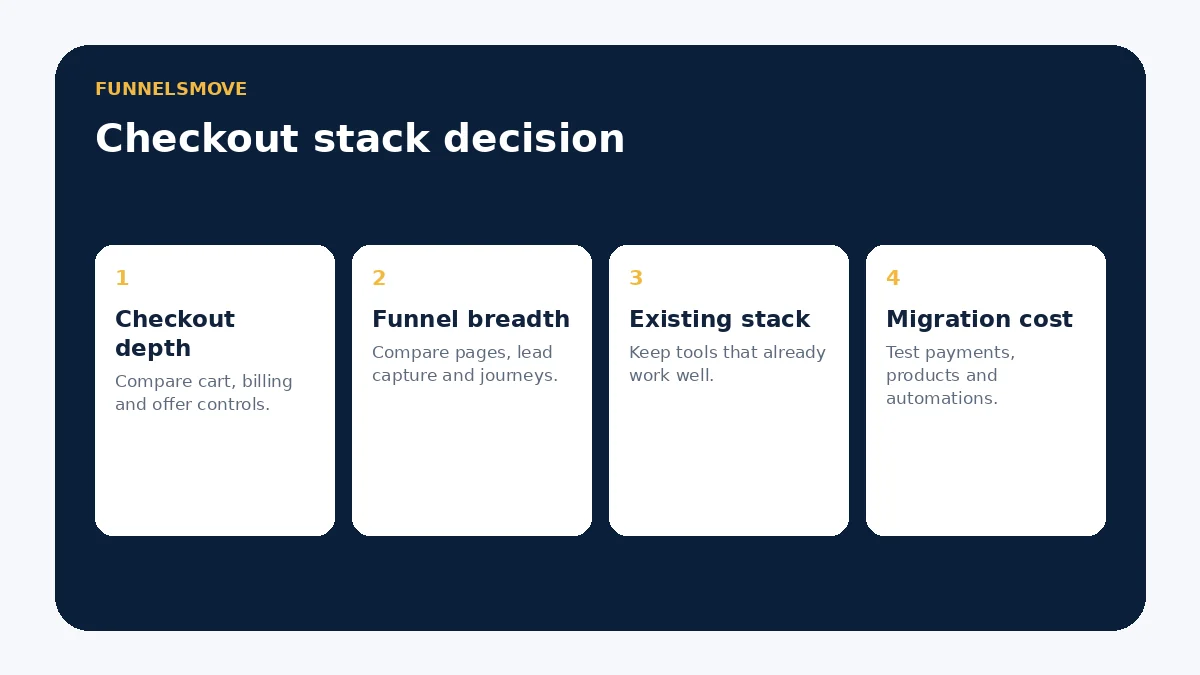
- Is checkout the main problem, or is the whole funnel fragmented?
- Which payment processors, currencies and subscription patterns are required?
- Do existing website and email tools need to remain?
- How important are landing-page creation and traffic acquisition workflows?
- Will courses or communities be delivered in the same platform?
- What happens to access after refund, cancellation or failed renewal?
- What is the first-year total cost after remaining subscriptions?
Running a side-by-side trial
Build the same simple offer in both systems: product, checkout, one bump or upsell, confirmation and the required downstream integration. Use test-mode or non-production payment methods supported by your setup. Compare how many steps are needed to change price, update copy, diagnose a failed event and issue a refund.
Then test the surrounding journey. If ClickFunnels replaces landing pages or follow-up tools, include that saved work in the comparison. If ThriveCart lets you keep a mature site and email stack unchanged, include the avoided migration cost. The useful comparison is the complete operating system around the sale.
Primary sources
- ThriveCart features (opens in a new tab)
- ThriveCart 2026 pricing announcement (opens in a new tab)
- ClickFunnels pricing (opens in a new tab)
Pricing and feature details were checked on September 19, 2026. Verify the configured plan and processor requirements before purchase.
Evaluate ClickFunnels for your workflow
Use the current plan details and test the complete journey that matters to your business before moving production traffic.
Explore ClickFunnels (opens in a new tab)