How to Manage ClickFunnels Funnels: Share, Duplicate, and Archive
Share, duplicate, archive, rename, or remove the right object without turning routine ClickFunnels maintenance into dozens of thin, disconnected tasks.
How to share a funnel in ClickFunnels
Current ClickFunnels documentation separates sharing a funnel from simply sharing its public URL. A Funnel Share creates a transferable copy for another ClickFunnels account, while a published funnel URL is the visitor-facing link to the live funnel.
To share the funnel itself, use the funnel’s Share settings and generate the share version/link according to the current interface. ClickFunnels notes that later edits are not automatically reflected in a version that has already been shared; republish the Funnel Share when you need recipients to get the updated version.
If your goal is only to send prospects to a live funnel, use the published funnel URL instead. The ClickFunnels setup guide covers the broader build-and-publish workflow.
Share link versus visitor link
This distinction prevents a common mistake. The public funnel URL is for customers or prospects to visit the live funnel. A Funnel Share is for another ClickFunnels user who needs a copy of the funnel structure. Do not send a Funnel Share when you simply want someone to view the campaign, and do not expect a visitor URL to create an editable copy in another account.
Before sharing a funnel with another account, review products, automations, integrations, custom domains and any account-specific settings. ClickFunnels describes Funnel Share as transferring pages and associated setup, but the receiving account may still need to reconnect services or verify settings that belong to a specific workspace.
How to duplicate or clone a funnel
For a copy inside your own workspace, use ClickFunnels’ Duplicate Funnel action. This is different from a Funnel Share: duplication is primarily a same-workspace reuse task, while sharing is designed to transfer a funnel setup.
Duplicate before making a major variation when you want to preserve the original. Then rename the copy clearly—by offer, audience, traffic source or test purpose—so the workspace does not fill with indistinguishable “copy” funnels. A good naming convention becomes more valuable as the number of campaigns grows.
Duplicate before a major test
When a campaign is already live, duplicating it before a substantial redesign gives you a clean rollback path. Rename the duplicate immediately and record why it exists—for example, “Webinar Funnel — Paid Social Variant — Sep 2026.” Clear names reduce the risk that another team member edits or publishes the wrong version.
After duplication, verify every destination that can carry over: page URLs, products, order settings, workflow actions, email references, tracking code and integrations. A copy saves build time, but inherited configuration is precisely what makes a duplicate dangerous if no one audits it.
How to clone a page or funnel step
You do not need to duplicate an entire funnel to reuse one page. Current ClickFunnels documentation includes page and funnel-step management actions such as cloning a page/step. Use the smallest copy operation that matches the task: page-level for a layout variation, step-level for a repeated funnel stage, and whole-funnel duplication for a complete campaign variation.
This distinction also reduces accidental configuration carryover. A complete funnel copy can include more settings and workflow context than you intended to reuse. Review URLs, products, automations, forms and tracking before publishing any duplicate.
Page cloning versus step cloning
A page is the visual/content asset. A funnel step is the position and function inside the customer journey. In practice, the current ClickFunnels interface provides management actions for pages and funnel steps, so choose the scope that matches what you are reusing. If only the layout needs another version, copy the page rather than duplicating the whole campaign.
After cloning, change more than the headline when the new page serves a different intent. Update tracking, forms, SEO settings where relevant, offer details and any links tied to the original. Duplicate content inside a private funnel is not automatically an SEO problem, but accidentally publishing multiple indexable versions can create confusion for users and search engines.
How to archive or remove a funnel
Archiving is the safer routine action when a funnel is no longer active. In ClickFunnels Classic, the official support article explicitly says deleting a funnel is handled by archiving it. Current ClickFunnels interfaces and terminology can differ, so use the archive/manage actions available in your actual account rather than assuming a Classic tutorial matches the current product.
Before archiving, confirm that no active ad, email, domain path or external link still depends on the funnel. Record where important assets or customer data live, and check whether a replacement URL or redirect is needed. Removing a funnel is an operational change, not just workspace housekeeping.
Archive with a retirement checklist
Before archiving a campaign, stop active traffic, export or record anything your business needs to retain, identify external links that still point to the funnel, and decide whether a replacement destination is required. If the funnel used a custom path advertised in email or printed material, the retirement plan should include what happens when someone follows that old link.
Keep an archive log with the funnel name, retirement date, replacement URL if any, and owner. This is simple governance, but it prevents future confusion when analytics, old campaigns or customer support references an asset that is no longer visible in the active workspace.
Deleting pages, contacts, domains, or your account are separate jobs
Several supporting keywords use “delete ClickFunnels” broadly, but they describe different objects. Deleting or archiving a funnel is not the same as removing a page, deleting contacts, disconnecting a domain or cancelling the ClickFunnels subscription. Treat each as a separate administrative action.
For example, ClickFunnels has separate current documentation for managing pages and for cancelling an account. Cancelling an account can deactivate active funnels and remove access, so it should never be used as a substitute for cleaning up one campaign. Likewise, deleting contacts can have data and consent consequences that are unrelated to funnel design.
Contacts and account deletion deserve extra care
Deleting contacts can affect marketing records, consent history and reporting. Cancelling the ClickFunnels account affects access to the platform itself. Neither belongs in the same mental bucket as deleting one page. Verify what data must be retained for business or legal reasons before removing records, and use the platform’s current documentation for the exact action.
If the intent is to stop billing, follow the account-cancellation process rather than deleting funnels one by one. If the intent is to clean the workspace, leave billing alone and archive or remove only the assets that are genuinely obsolete.
How to take a funnel offline safely
If a campaign should stop receiving traffic, first stop the traffic sources you control—ads, email links, navigation and automations—then change the funnel’s publication or availability state using the options supported by your current account. Check any connected custom domain and decide what visitors should see instead.
Do not simply assume that archiving an internal object creates the visitor experience you want. Test the old public URL after the change. For campaign replacements, a purposeful redirect or destination page is usually clearer than leaving visitors at an unexpected dead end.
Protect live traffic during changes
If you are replacing a funnel, publish and test the replacement before disabling the old campaign. Then update ads, email links, navigation, QR codes and partner links where possible. Finally, test the old URL from a private browser session so you see what a visitor actually experiences after the change.
For a temporary pause, document the intended restart date and what needs to be re-enabled. Traffic sources, automations and integrations can be paused in different systems, so a written checklist prevents a relaunch from missing one critical connection.
A simple funnel-management system
Use a consistent naming convention, archive completed campaigns, duplicate only from a known source version, and document which funnels are production versus experiments. Before sharing or cloning, review products, integrations, automations, domains and tracking so the recipient or copy does not inherit inappropriate settings.
For integrations that may need review after a copy, see the ClickFunnels integrations directory. If you are duplicating a funnel specifically for a store campaign, the ClickFunnels–Shopify guide explains how to keep the commerce handoff clear.
Recommended naming convention
A practical convention is Offer — Audience — Stage/Variant — Status. For example, “Consulting Audit — SaaS Founders — Webinar V2 — Live.” Keep dates only when they help distinguish campaigns. Avoid names such as “New Funnel,” “Copy 2” or “Final Final,” because they force people to open each asset to understand it.
Monthly housekeeping
Once a month, review active funnels, identify unused duplicates, archive completed experiments, confirm production funnels have clear owners, and spot-check important public URLs. Workspace hygiene is not glamorous, but it reduces publishing mistakes and makes future duplication or sharing faster because the source funnel is obvious.
Keep a canonical source funnel
If your business reuses the same campaign architecture, designate one clean source funnel rather than duplicating whichever live version is easiest to find. Keep that source free of temporary tracking, one-off products and campaign-specific copy. This reduces the number of settings that must be stripped out after each duplicate.
Use a change log for shared funnels
When several people or clients receive a Funnel Share, record the date and version that was shared. Because later edits may require republishing the share version, a simple change log tells you whether a recipient has the current structure. It also gives you a place to note configuration that must be reconnected in the receiving workspace.
For teams, assign one owner who can archive or promote production funnels. Collaborators may have broad permissions depending on their role, so governance matters more as the workspace grows. A small amount of process prevents the wrong duplicate from becoming the live campaign.
Before importing or accepting a shared funnel
Treat an imported or shared funnel as a starting asset, not a production-ready campaign. Review every page, URL, product reference, automation, integration, tracking snippet and compliance disclosure before publishing. A funnel created for another workspace may contain assumptions that do not apply to your domain, offer or data practices.
For client or partner work, agree on who owns the source funnel and who is responsible for future updates. If one party changes the source after a share has been published, the other account does not necessarily receive those edits automatically. Version labels and a short handoff note prevent “which copy is current?” from becoming a recurring support problem.
One final rule: do not use “delete” as a catch-all maintenance instruction. First identify the exact object—funnel, step, page, contact, domain connection or account—then use the documented action for that object. This reduces irreversible mistakes and keeps the workspace easier for another collaborator to understand.
When a destructive action is available, confirm the target twice, record what changed, and test any public URL or automation that depended on it before considering the maintenance task complete.
Document ownership clearly.
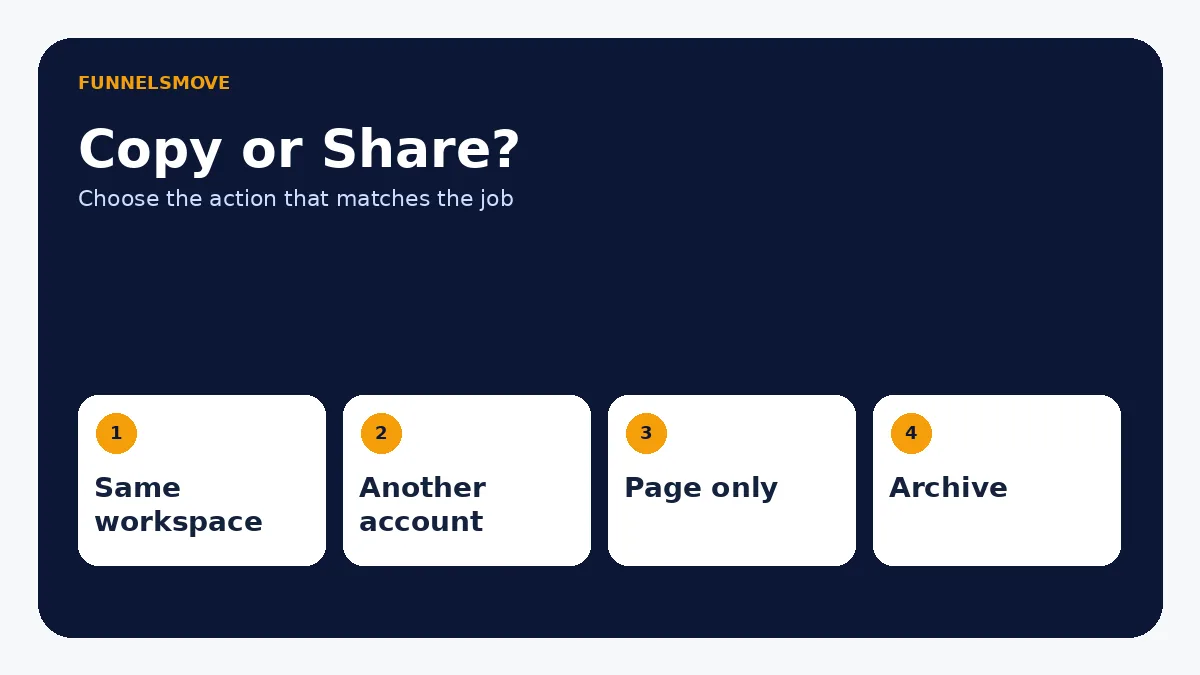
Quick decision table
| Task | Use this action | Do not confuse it with |
|---|---|---|
| Transfer a funnel | Funnel Share | Public visitor URL |
| Reuse in same workspace | Duplicate Funnel | Sharing to another account |
| Reuse one page/step | Clone page or step | Copying the entire funnel |
| Retire a campaign | Archive/manage availability | Cancelling the whole account |
When you need to reuse or edit a specific page after duplicating a funnel, use the ClickFunnels Page Editor guide for media, custom code, page titles, and publishing.
Related: vetting a ClickFunnels specialist.
Evaluate ClickFunnels against your workflow
Check the current ClickFunnels offer and plan details before subscribing, then compare them with the workflow you actually need.
Explore ClickFunnels (opens in a new tab)Primary sources
- ClickFunnels: How to Share and Clone a Funnel (opens in a new tab)
- ClickFunnels: How to Duplicate a Funnel (opens in a new tab)
- ClickFunnels: Add and Manage Funnel Steps (opens in a new tab)
- ClickFunnels Classic: How Do I Delete a Funnel? (opens in a new tab)
- ClickFunnels: Cancel a ClickFunnels Account (opens in a new tab)
Product and interface facts were checked against these sources on September 4, 2026. Product interfaces and third-party services can change.