Simvoly Communities and Memberships: Features and Fit
Explore Simvoly communities and memberships, including discussions, access control, member management, subscriptions, courses and practical setup considerations.

What is the Simvoly community platform?
Simvoly’s current community materials describe a community and course environment that can live inside the same ecosystem as a website, funnels, CRM and selling tools. Community features include walls, discussion channels, reactions, member profiles and activities.
This creates a different experience from a simple password-protected page. A community is designed around ongoing participation, while membership access determines who can reach particular spaces or content.
Treat community and membership as related but distinct decisions: one is about interaction and belonging; the other is about access, entitlements and potentially recurring payment.
Membership access and secure content
Simvoly’s store and membership materials describe secure content areas, member management and the ability to sell membership access. A successful setup starts with a clear access model: who gets access, to what, for how long and based on which purchase or status.
Keep the number of access levels understandable. Overly complex entitlement rules can create support problems when members upgrade, cancel or buy multiple products.
Test access with accounts in different states before launch. Confirm that restricted material stays restricted and that paying members can reach what they purchased.
A practical community launch framework
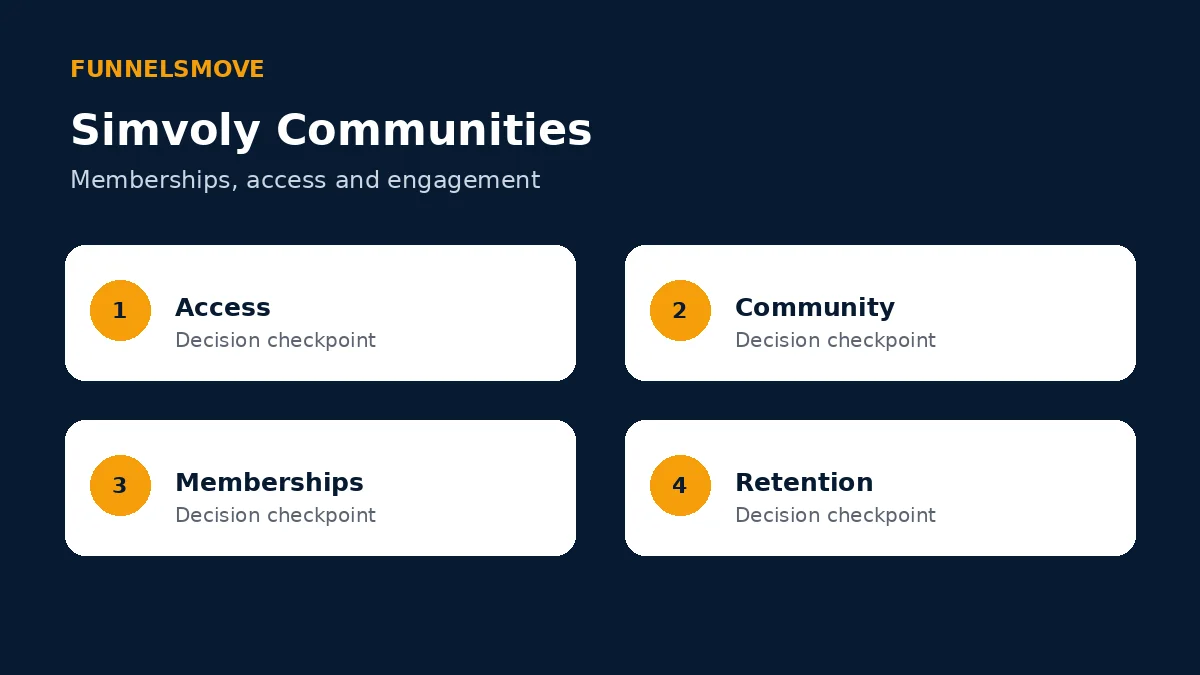
Use four checkpoints: define access, design the community spaces, connect membership or payment rules, and plan ongoing engagement. Software can create the space, but it cannot supply the reason people return.
Decide who moderates the community and how members get help. Document naming, permissions and escalation rules before inviting a large audience.
Walls, discussions and member interaction
Simvoly currently promotes walls, discussion channels, reactions and app-like community experiences. These features can support peer discussion, announcements and interaction around courses or membership content.
Create a small number of purposeful spaces at launch. Empty channels make a community feel fragmented, while clear topics help members understand where to post.
Establish moderation guidelines and a process for handling spam, inappropriate content and account questions. Community operations continue after the initial build.
Connecting communities with courses
The community platform is closely connected with Simvoly’s course capabilities, including progress tracking and drip or scheduled content. That can suit educators who want discussion to sit beside structured learning.
Keep course navigation and community conversation distinct enough that learners know where to find canonical lessons versus peer discussion. Link the two where interaction adds value.
Our separate Simvoly courses guide focuses on learning structure, delivery and progress rather than community operations.
Selling memberships and subscriptions
Simvoly’s ecommerce and membership pages describe subscription and membership sales through its commerce functionality. Before selling access, define billing intervals, cancellation behavior, renewal communication and what happens to access when payment status changes.
Test the complete path from checkout to entitlement. Confirm the customer receives the expected access and that CRM/member records reflect the transaction.
Avoid promising lifetime or permanent access unless the commercial terms genuinely support it. Keep sales copy aligned with the actual membership rules.
Member management and CRM context
Simvoly describes detailed member profiles and CRM management for contacts. Centralized records can help teams understand purchases, membership status and interactions without maintaining separate databases for every content product.
Define which fields are authoritative and who can edit them. Duplicate or conflicting status fields create automation errors quickly.
For broader CRM-specific coverage, the planned Simvoly CRM guide belongs to a later approved batch; this article keeps CRM discussion limited to membership and community operations.
Who are Simvoly communities suited to?
The platform can fit creators, educators, membership businesses and agencies that want community spaces connected with websites, courses, funnels and commerce. It is especially relevant when consolidation is a priority.
A dedicated community product may be preferable if community is the entire product and you require specialist moderation, discovery or enterprise governance beyond Simvoly’s documented scope. Verify those requirements directly before migrating.
Agencies considering branded delivery should also review our Simvoly white-label guide.
Bottom line on Simvoly communities and memberships
Simvoly combines community interaction with membership access, courses, CRM and commerce. The useful question is not only whether the features exist, but whether your team can operate access rules, moderation, billing and ongoing engagement consistently.
Official sources checked
Simvoly community builder (opens in a new tab) · Simvoly memberships (opens in a new tab) · Simvoly online store (opens in a new tab)
Community operations checklist
Before launch, decide who approves members, who moderates posts, where support requests go and which events should trigger email or CRM updates. Write those responsibilities down so community management does not depend on one person remembering an informal process.
Plan for member exits as carefully as onboarding. Test cancellation, expired access and manual removal so former members do not retain paid areas accidentally and legitimate members are not locked out without a support path.
Measure activity in context. A small paid community may value useful discussions and retention more than raw post volume. Choose indicators that reflect the purpose of the membership rather than chasing engagement for its own sake.
Also define a simple archive policy for inactive spaces so navigation stays useful as the community grows. Fewer well-maintained areas are usually easier for members to understand than a long list of abandoned channels.
Explore Simvoly
Review the current product and plan details directly before deciding whether Simvoly fits your workflow.
Explore Simvoly (opens in a new tab)