Simvoly Templates: Websites, Funnels and Use Cases
Simvoly provides templates and reusable designs for websites, funnels, pages and other assets, but the best starting point is the structure that matches your real customer journey.
What are Simvoly templates?
Simvoly provides ready-made designs that can accelerate the first version of a website or funnel. Current official materials describe hundreds of page and block designs, more than 100 funnel templates, and broader template options across websites, funnels, pages, blocks and pop-ups.
Templates are most useful as structural shortcuts. They can establish sections, hierarchy and visual rhythm, but they still need accurate copy, brand assets, navigation, forms and conversion logic.
Do not select a design only because the demo looks attractive. Start with the job the page must perform.
Choose a template by use case
A service business may need clear service pages, proof, contact paths and appointment booking. An online store needs product discovery and checkout. A lead-generation funnel needs a focused offer and form. A course or membership project needs an understandable path from promise to enrollment.
The keyword plan groups many niche searches—real estate, photography, restaurants, services, webinars, lead magnets, appointments, schools and more—under one template-selection intent. The principle is the same: choose the closest structural match, then customize it.
A niche label is less important than whether the layout supports your content and conversion path.
A practical template-selection framework
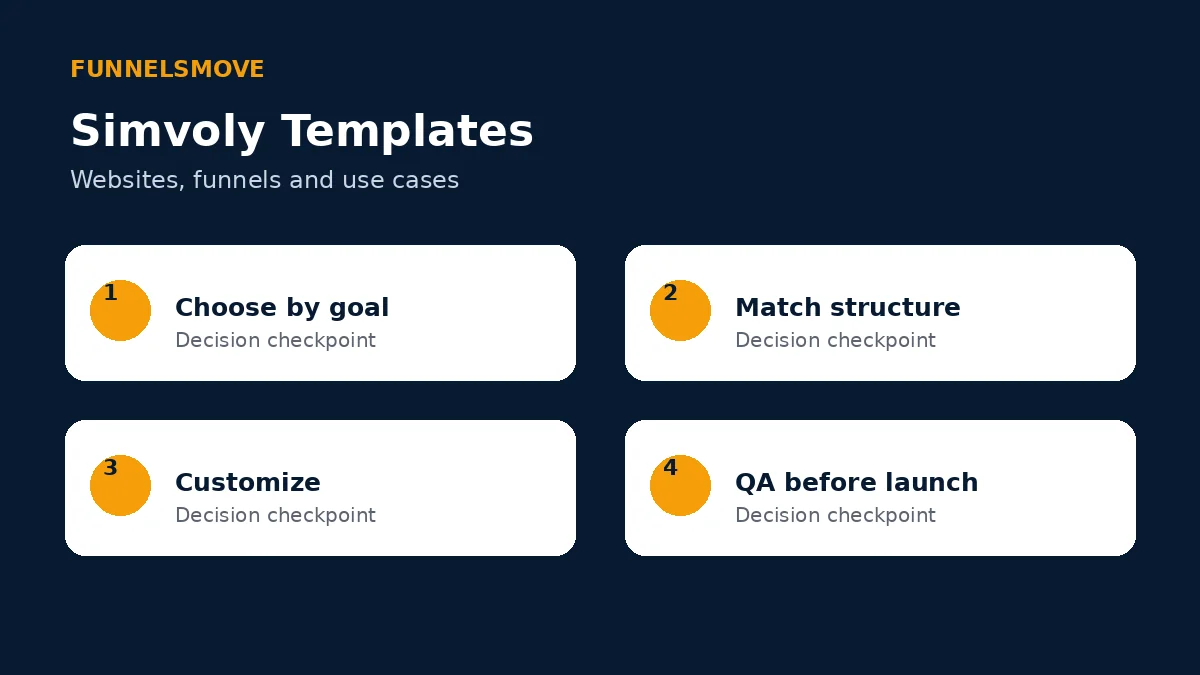
Use four checkpoints: choose by business goal, match the page structure, customize the content and brand, then complete quality assurance before publishing.
This prevents the common mistake of treating a template as a finished website. A template can save layout time, but the final experience still depends on your information, offer and implementation.
Website templates
For a multi-page website, evaluate navigation, homepage hierarchy, service or product pages, content areas and contact paths. Make sure the template can grow with the site rather than forcing every future page into the original demo structure.
Replace placeholder imagery and generic claims with material that belongs to the business. Check heading hierarchy and avoid retaining irrelevant demo sections simply because they are already styled.
For builder capabilities beyond templates, see our Simvoly website builder guide.
Funnel templates
Simvoly currently advertises more than 100 funnel templates for lead generation and sales. A funnel template can provide a useful sequence, but you should verify every step: landing page, form or checkout, optional upsell, confirmation and follow-up.
Match the template to the conversion goal. A webinar registration flow, lead magnet and product sale may all use landing pages, yet the information and next steps differ.
Our Simvoly funnel builder guide explains testing, analytics and funnel operations in more detail.
What to customize before publishing
Rewrite headlines, body copy, calls to action, legal text and product information. Replace logos, colors, images and contact details. Remove unused sections and verify that every button points to the intended destination.
Check forms and automations with real test submissions. If the template includes a checkout, verify product, price, tax or shipping settings as applicable. If it includes appointments, confirm availability and notifications.
Review metadata, page titles, descriptions, heading structure and image alternative text rather than inheriting demo values.
Mobile and accessibility checks
A template can look polished on a large preview and still need mobile adjustment. Check long headings, multi-column sections, image crops, menus, forms and button spacing at narrow widths.
Use meaningful link text and sufficient contrast. Add alternative text where images communicate information, and keep decorative images from creating unnecessary noise for assistive technology.
Keyboard through the important actions and confirm visible focus. Accessibility should be part of template QA, not a later patch.
Reusable templates and sharing
Simvoly’s materials describe funnel sharing, and its white-label documentation explains that agencies can create templates for websites, funnels, pages, blocks and pop-ups. Reuse can be valuable when a team repeatedly serves a similar audience.
Create a controlled master rather than copying an old client project with stale analytics, contact details or legal text. Document what must be replaced every time.
For agencies, template governance matters as much as template design. Assign an owner and retire versions that no longer match current processes.
Bottom line on Simvoly templates
Simvoly templates can reduce setup time across websites and funnels, but selection should follow the business goal rather than the demo aesthetic. Choose the closest structure, customize thoroughly, test the complete journey and publish only after responsive and operational QA.
Official sources checked
Simvoly features page (opens in a new tab) · Simvoly template documentation (opens in a new tab)
Template governance for teams and agencies
When several people create from templates, define who owns the master version and what can be changed. A short checklist for logos, legal text, analytics, forms and contact details reduces the risk of publishing another client’s information by mistake.
Review reusable designs periodically. Retire templates that depend on outdated offers or integrations, and record major changes so the team knows which version should be used for new projects.
Maintenance checkpoint
For SEO-sensitive projects, compare the proposed template structure with the existing URL map before rebuilding. A design change should not casually discard useful URLs or internal links.
Template selection checkpoint
Before committing to a design, list the required pages and conversion actions. If the template forces major structural compromises, choose a different starting point rather than spending the project fighting the demo layout.
Explore Simvoly
Review the current product and plan details directly before deciding whether Simvoly fits your workflow.
Explore Simvoly (opens in a new tab)