Systeme.io Webinars: Evergreen Setup, Workflow and Fit
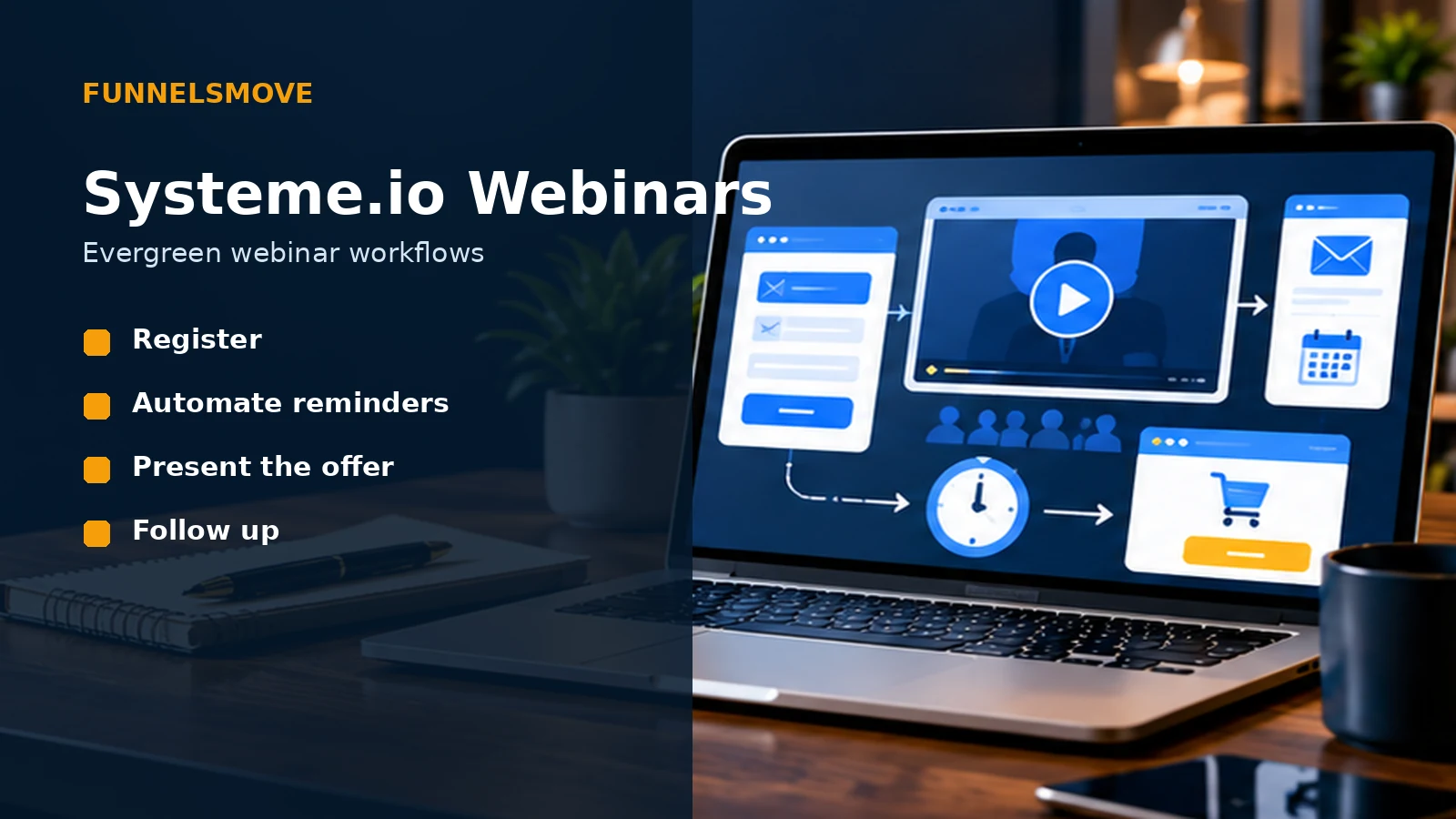
Systeme.io focuses its native webinar tools on automated evergreen presentations, connecting registration, reminders, playback and offers inside one funnel.
What does Systeme.io offer for webinars?
Systeme.io’s native webinar feature is designed for automated, evergreen webinars rather than live webinar broadcasting. Its current help documentation says the evergreen webinar funnel is available on the Webinar and Unlimited plans, and the platform’s funnel builder creates a specialized webinar structure for recurring presentations.
That distinction matters before you design a campaign. An evergreen webinar is a prerecorded presentation that a visitor can register for and watch according to the schedule you configure. If your strategy depends on a genuinely live presentation with native real-time delivery, Systeme.io’s current help center says that format is not supported by the built-in webinar feature.
For a proven presentation that you want to repeat, however, the native workflow can reduce the number of separate tools involved. Registration pages, reminder emails, the presentation path and the sales offer can sit inside the same marketing account.
How the evergreen webinar workflow fits together
Start with the offer and the presentation before worrying about page decoration. A useful evergreen webinar needs a clear audience, a specific promise, a recording that earns attention and a next step that makes sense after the presentation.
In Systeme.io, the practical sequence is registration, scheduled access, presentation, offer and follow-up. The platform’s official automated-webinar materials describe registration and replay pages, automated reminder emails, recurring or just-in-time scheduling, and timed on-screen calls to action.
That makes the webinar less of a standalone video and more of a funnel. The registration step creates the contact, automation handles reminders, the presentation builds the case, and the offer connects the viewer to the appropriate sales page or checkout.
A four-step evergreen webinar framework
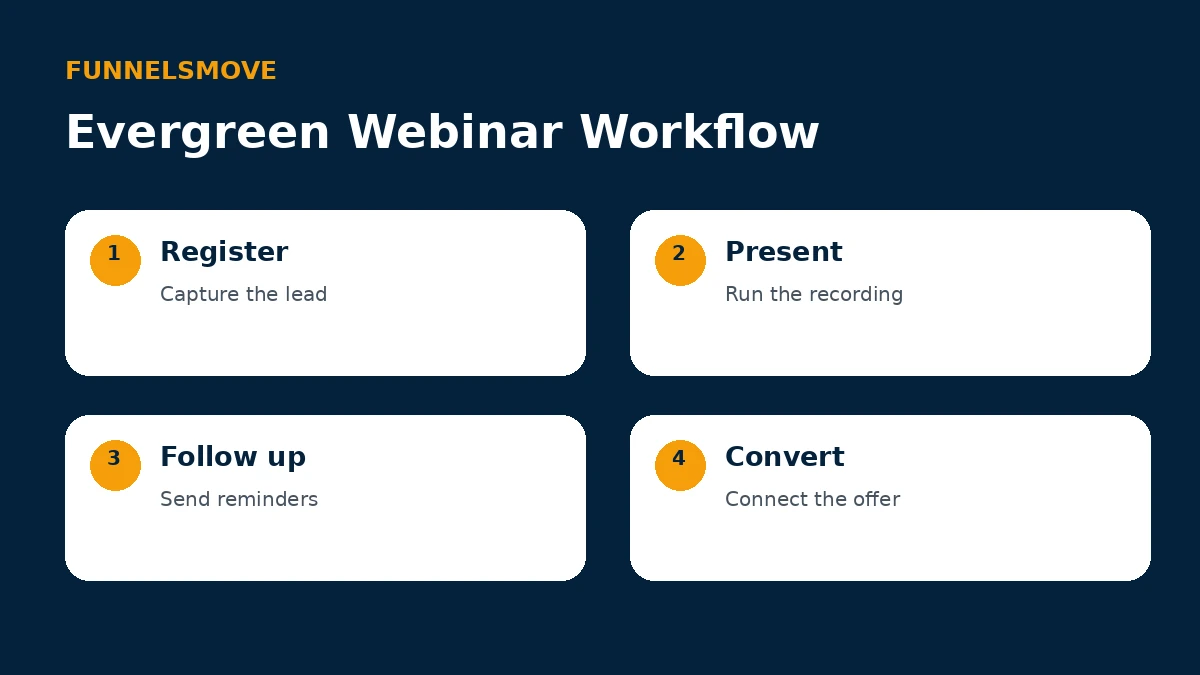
Use the framework below as an operating sequence rather than a promise of results. The quality of the offer, audience and presentation still matters more than the automation layer.
If you need to build the surrounding pages first, our Systeme.io funnel builder guide explains the broader funnel structure, while the email marketing guide covers campaigns and follow-up.
How to create an automated webinar in Systeme.io
Systeme.io’s current help instructions begin under Sites → Sales Funnels. Create a funnel and choose the evergreen-webinar goal. The platform then creates the webinar funnel with its required pages, after which you can select and edit a registration-page template.
The registration date element is important because the automated webinar needs scheduling information. Systeme.io notes that the evergreen format does not use a fixed calendar date in the same way as a one-time live event; available sessions are presented according to the recurring setup.
Before sending traffic, register as a test visitor. Verify the confirmation state, access link, playback experience, reminder timing, offer button and post-webinar follow-up. Test on both desktop and mobile rather than assuming a page that looks correct in the editor will behave exactly as expected.
Registration, reminders and follow-up automation
Automation is where an evergreen webinar can save operational effort. Confirmation and reminder messages can be prepared once and sent to each new registrant according to the sequence you configure. After the webinar, follow-up can continue based on the journey you designed.
Keep the automation understandable. Use clear tags or campaign names, document what triggers each message, and avoid stacking overlapping rules that send duplicate emails. If the webinar connects to a purchase, course or membership, test the handoff all the way through access delivery.
The same principle applies to scarcity. If you use a deadline or timed offer, make it genuine and honor the conditions you communicate. Automation should make a legitimate offer easier to deliver, not manufacture false urgency.
Can Systeme.io run live webinars?
According to Systeme.io’s current help documentation, the built-in webinar feature supports automated evergreen webinars and does not natively provide a live-webinar format. That is a product boundary worth understanding before you migrate an existing live-event workflow.
You can still use Systeme.io for surrounding marketing tasks when another service handles a live event—for example, registration pages, contact organization, email reminders or post-event follow-up—but that is a different setup from using the native evergreen webinar funnel.
If live Q&A, live polls or real-time presentation are essential, evaluate the delivery tool separately and then decide whether connecting it to Systeme.io is operationally worthwhile.
Who is Systeme.io webinars a good fit for?
The native webinar workflow is most relevant to creators and small online businesses with a presentation that can be prerecorded and reused. It is particularly logical when the same account already manages funnels, email and checkout because the webinar becomes another stage in an existing system.
It is less compelling when your event strategy is primarily live, requires sophisticated live audience interaction, or depends on webinar-production features beyond an evergreen funnel. In those cases, a dedicated webinar platform may be a better delivery layer even if Systeme.io remains part of the marketing stack.
The practical decision is not whether evergreen is universally better. It is whether repeating a proven presentation on an automated schedule matches the way you sell.
Pre-launch webinar checklist
Confirm that the recording is current, the registration promise matches the presentation, and the offer is still available on the terms shown. Check the registration form, session options, reminder sequence, replay behavior, sales-page destination and checkout.
Review the experience as a new contact rather than as the account owner. Make sure messages arrive in a sensible order and that every button leads where it should. Finally, establish a schedule for reviewing the presentation so old examples, pricing references or dated claims do not quietly remain in an evergreen asset.
Bottom line
Systeme.io’s webinar feature is best understood as an integrated evergreen-webinar funnel. It can combine registration, recurring access, reminder automation and an offer without requiring a separate native webinar product for that automated use case.
Its main limitation is equally clear: the built-in feature is not a native live-webinar platform. Choose it when automated delivery is the goal, and evaluate another delivery tool when genuine live interaction is central to the event.
Explore Systeme.io for your workflow
Review the platform directly and decide whether its integrated tools match the way you want to run your business.
Related Systeme.io guides
Start with the Systeme.io platform guide, compare Systeme.io pricing, or explore Systeme.io integrations.