HighLevel Courses and Memberships: Features, Setup and Fit
HighLevel can create and sell courses, connect learning to communities, and automate access—but course delivery is only one part of the platform.
What can HighLevel courses and memberships do?
HighLevel includes tools for building online courses, organizing lessons, packaging access into offers and connecting paid learning to the broader CRM and automation system. Current HighLevel documentation also connects courses with Communities, where members can access learning content alongside discussion spaces.
The strongest reason to use these tools is usually operational integration: a course purchase, member status or CRM event can sit close to the same contact record and workflow system used for lead capture, appointments and follow-up. That is different from choosing a platform solely for the richest possible learning-management experience.
Course creation and content structure
HighLevel’s current course workflow starts under Memberships and Courses. Its updated course editor supports structured course content, and official launch guidance describes creating a course, building lessons, creating an offer, configuring pricing, publishing and testing the learner experience. Course content can include common learning assets such as video, lesson text and downloadable material; verify current editor limits before a large media migration.
For creators moving from another platform, inventory modules, lesson URLs, video hosting, downloads, quizzes, completion rules and student access before rebuilding. “Course builder included” does not mean a complex academy will migrate automatically.
Offers, payments and access
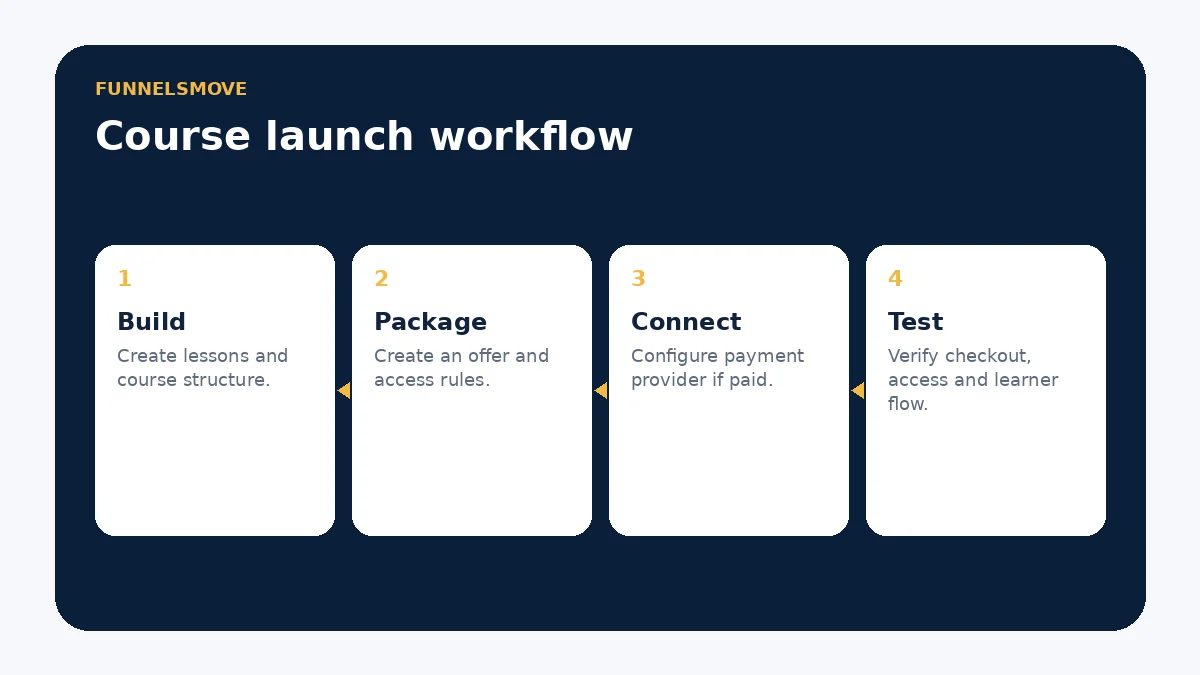
HighLevel can attach products and pricing to course offers. Current documentation supports free, one-time and recurring pricing patterns, with a connected payment provider required for paid course flows. Paid Courses inside Communities can also use one-time or subscription pricing.
Test access after payment, cancellation and refund scenarios before launch. A payment succeeding and a learner receiving the intended access are separate events worth validating end to end.
Communities and the learning experience
HighLevel Communities provide private or public groups, channels and a Learning area where courses can be attached. Current documentation also supports paid courses inside Communities and multiple course-unlock approaches, including access for all members, level-based access, purchase-based access and time-based unlocks.
That can work well for coaching programs, client onboarding and paid communities where discussion and learning belong together. A creator whose business depends on advanced academic assessment, accreditation, highly specialized learning analytics or a mature LMS ecosystem should compare specialist platforms rather than assuming the CRM bundle replaces them.
Where CRM and automation add value
The distinctive HighLevel angle is the surrounding operating system. A creator can connect forms, funnels, email, SMS, pipelines and workflows to the same contacts who buy or access learning products. That can reduce tool handoffs for businesses already using HighLevel for acquisition and follow-up.
Use that integration carefully. Marketing consent, transactional notices and community/course access are different concepts. Do not enroll people into promotional messaging merely because they purchased a course.
Who should consider HighLevel for courses?
| Use case | Fit | Reason |
|---|---|---|
| Agency client training | Strong candidate | CRM, automation and learning can share one account structure. |
| Coach with funnels and appointments | Strong candidate | Lead capture, booking and course access can be coordinated. |
| Creator-first education business | Compare carefully | A dedicated creator platform may offer a more focused authoring/member experience. |
| Formal LMS requirements | Specialist evaluation needed | Advanced assessment, standards or institutional reporting may require dedicated software. |
Course-launch checklist
- Define the learning outcome and course structure.
- Create the course and verify lesson media.
- Package access in the appropriate offer.
- Connect and test the payment provider if the offer is paid.
- Configure community visibility or unlock rules if used.
- Test purchase, access, email notifications and cancellation scenarios with non-production records.
- Document which workflows control marketing versus learner access.
When another platform may be more suitable
If courses and community are the core product rather than a feature supporting a service business, compare a creator-focused platform as well. Our HighLevel vs Kajabi comparison looks specifically at that trade-off. For the broader HighLevel stack, see the workflow guide and payments guide.
Course access, onboarding and member support
A good implementation treats enrollment as a lifecycle rather than a checkout event. Decide how a learner receives access, where they sign in, how they recover access, what happens when a subscription ends, and who handles support. HighLevel’s current membership documentation includes client-portal magic links for supported access flows, which can reduce password friction, but access rules still need testing.
Keep course entitlement separate from marketing segmentation. A learner may need transactional access messages even after opting out of promotional email. Document which workflow controls each type of communication and avoid using a single tag as an undocumented catch-all for billing, access and marketing consent.
Migration and maintenance considerations
Before moving an existing course, export or inventory the material your current platform allows you to retain: contacts, enrollment state, course structure, media, downloads, payment/subscription records and suppression data. Some items may need to be rebuilt rather than imported.
After launch, assign ownership for content updates, broken media, offer pricing, payment connections and automation. A bundled platform reduces the number of tools, but it does not remove operational maintenance.
Questions to test before choosing HighLevel
- Does the course editor support the lesson types and media workflow you need?
- Can the required offer, pricing and access model be reproduced?
- Does the community experience fit how members are expected to interact?
- Can staff support learner access without exposing broader CRM data?
- Do reporting and completion signals meet the business requirement?
- What external tools remain necessary after the move?
Primary sources
- HighLevel course launch guide (opens in a new tab)
- HighLevel Communities setup (opens in a new tab)
- Paid Courses inside Communities (opens in a new tab)
- Course products and offers (opens in a new tab)
Product behavior was checked on September 19, 2026. Test the current account interface before migrating a live course.
Evaluate HighLevel for your workflow
Use the current plan and product details to test the workflows that matter before committing production data.
Explore HighLevel (opens in a new tab)