HighLevel Payments & Stripe: Setup, Fees & Workflows
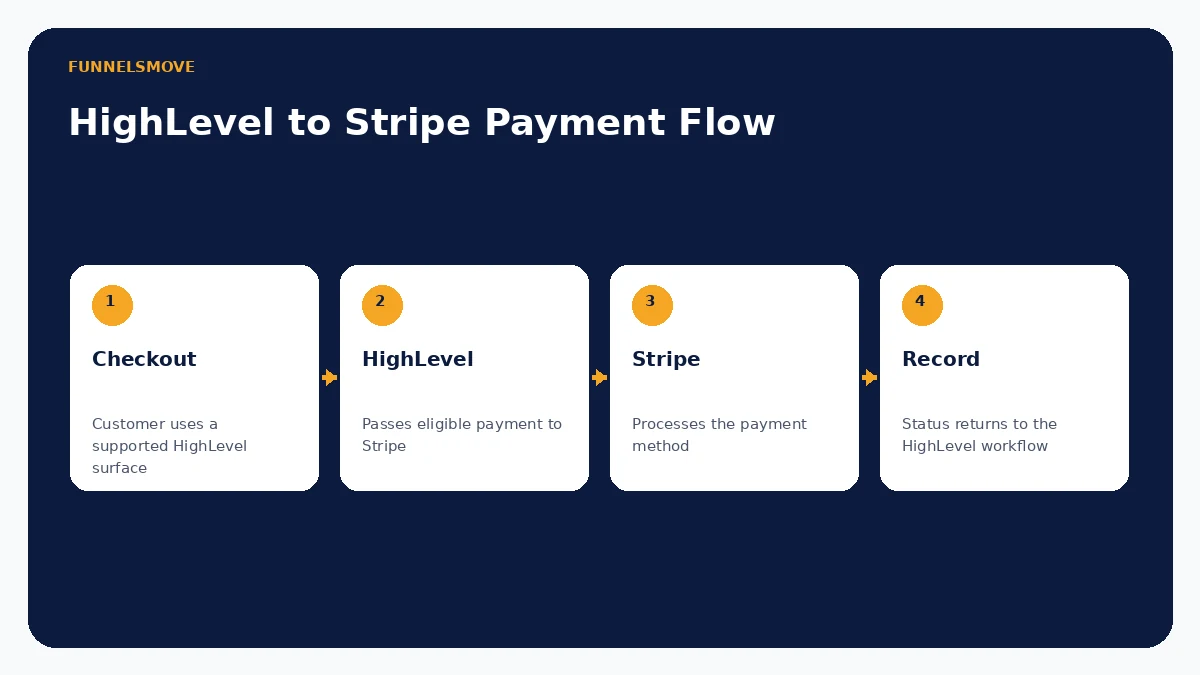
HighLevel can connect a Stripe account to supported checkout experiences such as invoices, payment links, forms, stores and calendars. Stripe processes eligible payments; HighLevel provides the CRM-connected selling and workflow layer.
For broader context, see our HighLevel platform guide, HighLevel review and HighLevel setup guide.
How does HighLevel connect with Stripe?
HighLevel connects a Stripe account at the sub-account level and makes Stripe available as a payment provider across supported HighLevel payment experiences. HighLevel's current documentation says each sub-account can connect to one Stripe account at a time. Eligible transactions are sent to Stripe for processing while the customer-facing workflow remains tied to HighLevel.
This distinction matters: HighLevel is not described here as a bank. Stripe is the connected payment provider for the transactions discussed in this guide. Exact payment-method availability depends on the HighLevel product area, Stripe account eligibility, country and configuration.
Where Stripe payments can be used in HighLevel
Current HighLevel documentation lists supported Stripe use across invoices, payment links, funnel order forms, forms, ecommerce stores, calendars, courses, communities and subscriptions, subject to product-specific limitations. HighLevel also lets connected businesses manage supported Stripe payment methods from its payment settings.
Not every payment method works everywhere, and some methods do not support recurring payments. Use HighLevel's current provider-by-product-area table before promising a particular wallet, bank debit or buy-now-pay-later option to customers.
One-time payments, recurring payments and subscriptions
Payment Links can sell products without requiring a full website, and HighLevel supports links that combine one-time and recurring products under documented constraints. Recurring invoices can generate on a schedule, and supported auto-payment configurations can charge a saved or customer-provided card on future due dates.
HighLevel's Subscriptions area tracks supported recurring subscriptions, but its documentation also notes exclusions: recurring invoice templates are not the same thing as subscription records. Choose the billing model deliberately rather than assuming every repeating charge behaves identically.
HighLevel charges vs Stripe processing fees
Separate three possible cost layers. First, the business needs an applicable HighLevel subscription. Second, Stripe charges payment-processing fees according to the Stripe account's country, payment method and pricing agreement. Third, HighLevel may have separate optional or product-specific charges depending on the feature being used.
HighLevel's Stripe documentation does not publish one universal Stripe processing rate because Stripe fees vary by market and method. Check the connected Stripe account's official pricing rather than copying a U.S. card rate into a global setup. HighLevel also offers a configurable processing-charge feature in supported channels, but surcharging can be restricted by law or network rules; the merchant is responsible for compliance.
Refunds, failed payments and disputes
Build refund and dispute handling into operations before launch. Stripe documents that a card dispute can debit the disputed amount plus applicable dispute fees while the issuing bank ultimately decides the outcome. Evidence deadlines are limited, and an open dispute is not the same as a normal refund.
Recurring billing needs failure handling as well. HighLevel workflows can respond to payment events, and recurring invoices can remain unpaid when an auto-payment fails. Keep clear fulfillment, cancellation and refund records because those records can matter when responding to disputes.
Payment-data security responsibilities
Do not collect raw card credentials in ordinary CRM fields, forms, notes or automation steps. Use the supported checkout/payment surfaces and provider flows. HighLevel's recurring-invoice documentation shows only limited card information such as last digits and expiry in appropriate account views.
Businesses remain responsible for access controls, staff permissions, account security, lawful checkout disclosures and their own compliance obligations. Connecting Stripe does not transfer every security or regulatory responsibility to either vendor.
Practical Stripe setup and test checklist
- Confirm the correct Stripe business account and HighLevel sub-account.
- Connect Stripe under Payments → Integrations.
- Review live and test payment-method configuration.
- Create products/prices and choose the correct checkout surface.
- Test one-time and recurring paths separately when both are used.
- Verify successful, failed and refunded transaction behavior.
- Confirm workflow triggers, receipts, taxes and fulfillment steps.
Use test mode before accepting real money. Never paste API keys or customer payment details into page content, documentation or unsecured internal notes.
Who should use HighLevel with Stripe?
The integration fits service businesses, agencies, creators and appointment-led businesses that want payment activity close to contacts, invoices, funnels, calendars and HighLevel workflows. It is particularly useful when a payment should immediately change CRM or automation state.
A specialized commerce or billing platform may be preferable for complex inventory, advanced subscription billing, marketplace fund flows, unusual tax requirements or finance operations that extend beyond HighLevel's supported payment surfaces. Use the API and webhooks guide when custom payment events must connect to external systems.
Evaluate HighLevel with your real workflow
Use a representative setup, confirm account-specific limits and costs, and test normal and failure paths before putting the process in front of customers.
Visit HighLevel (opens in a new tab)Sources checked
Product and integration documentation was reviewed on September 16, 2026. Pricing, permissions and feature availability can change; verify account-specific settings before deployment.